如何去除KineMaster视频水印 — 无需重新编辑即可导出无水印视频
Why KineMaster Adds a Watermark
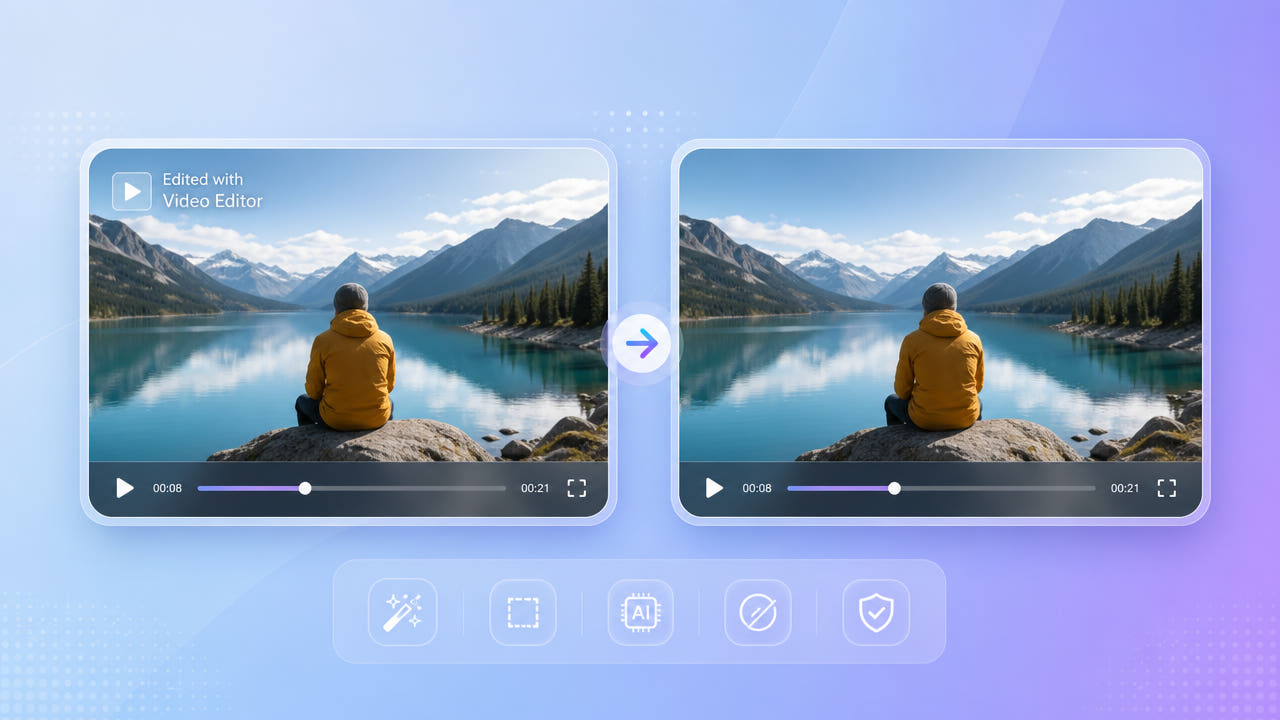
KineMaster 是 a popular mobile 视频 editor, 和 its 免费 tier adds a 水印 every 导出 — typically app 标志 在 a 角落 的 finished 视频. mark stays 在 片段 wherever 您 upload 它.
免费-Tier 导出 标志
For creators sharing to YouTube, TikTok, or Instagram, that corner logo signals the editing app and clutters an otherwise polished clip. Many people only notice it after exporting, when re-editing the project is inconvenient.
What 它 Means 用于 创作者
Rather than rebuilding the project or paying to re-export, you can clean the finished file directly. An AI eraser reconstructs the corner so the watermark is gone while the rest of the video is untouched.
KineMaster's free tier stamps a corner logo on every export; cleaning the finished file is faster than rebuilding the project.
去除 KineMaster 标志 用 AI
550W Video Eraser reconstructs the area behind the KineMaster logo using deep-learning inpainting. Select your exported video, mark the watermark, and export a clean result — no editing skills required.
Three-Step Cleanup
For a logo over a simple or static background, Standard mode is quick and clean. When the watermark overlaps moving footage, Protect mode rebuilds the changing detail more faithfully.
Standard vs. Protect Mode
Because the export logo sits in a fixed corner, a tight selection box keeps the rest of the frame intact. There is no cropping, so your full landscape or vertical composition is preserved at up to 1080p.
Mark the fixed corner logo and pick Standard or Protect mode; no cropping means your full composition stays intact.
Watermark Remover vs. Upgrading KineMaster
KineMaster's paid plan removes the watermark at export, but it does not help with clips you already exported or projects you no longer have open. A standalone eraser cleans any finished file, which is the same advantage it offers for CapCut exports.
With a credit-based system and 200 free credits for new users, occasional cleanup does not require a subscription. You pay only for what you process, and credits are refunded automatically if a job fails.
Tips 用于 a 干净 KineMaster 结果
Export from KineMaster at the highest quality available before erasing. A crisp 1080p file gives the AI cleaner pixels around the logo than a re-compressed or re-downloaded copy.
导出 在 Top 质量
When marking the watermark, include any soft glow or padding around the logo so no faint outline survives. A slightly larger box almost always produces a cleaner corner than one that is too tight.
Cover the Whole Logo
导出 在 top 质量 和 include 标志's glow 在 您的 选区 用于 a 干净, outline-免费 角落.
常见问题
导出 您的 视频 和 使用 550W 视频 Eraser mark 和 去除 标志. New users get 200 免费 credits, so light cleanup costs nothing.
如何 do I 去除 KineMaster 水印 用于 免费?
No. AI inpainting rebuilds only the logo area and keeps the original resolution and bitrate elsewhere, up to 1080p.
Does 去除 水印 lower 视频 质量?
Yes. The eraser works on any finished MP4 or MOV file, even if you no longer have the original KineMaster project.
可以 I 干净 a 片段 I exported a while ago?
Use Protect mode so the AI reconstructs the changing background behind the logo more faithfully.
What if the logo sits over moving footage?
Removing the watermark from your own footage is fine. Respect the rights of any source material you did not create before redistributing.
是 它 legal 去除 KineMaster 水印?
相关文章
常见问题
如何 do I 去除 KineMaster 水印 用于 免费?
导出 您的 视频 和 使用 550W 视频 Eraser mark 和 去除 标志. New users get 200 免费 credits, so light cleanup costs nothing.
Does 去除 水印 lower 视频 质量?
No. AI inpainting rebuilds only the logo area and keeps the original resolution and bitrate elsewhere, up to 1080p.
可以 I 干净 a 片段 I exported a while ago?
Yes. The eraser works on any finished MP4 or MOV file, even if you no longer have the original KineMaster project.
What if the logo sits over moving footage?
Use Protect mode so the AI reconstructs the changing background behind the logo more faithfully.
是 它 legal 去除 KineMaster 水印?
Removing the watermark from your own footage is fine. Respect the rights of any source material you did not create before redistributing.