Remove Emoji and Stickers from Video with AI
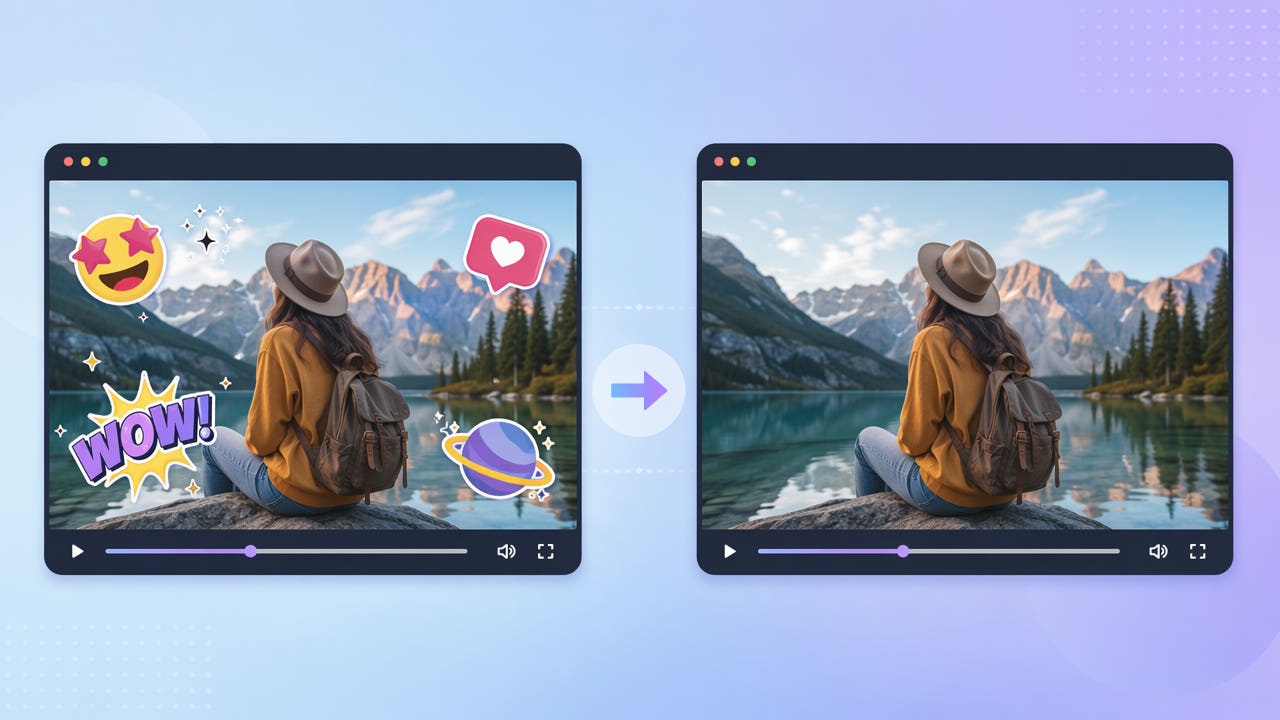
Why Stickers End Up Baked Into Your Video
Social apps make it easy to drop emoji, GIF stickers, location tags, and reaction graphics onto a clip. Once you export or someone re-shares the video, those overlays are flattened into the pixels and can no longer be moved or deleted in a player.
App Overlays Become Permanent
This happens with stickers added in Instagram, Snapchat, TikTok, and messaging apps, as well as reaction emoji layered on by reposters. If you want to reuse the underlying footage, the stickers have to be reconstructed away.
Common Sticker Sources
Because emoji and stickers are often large, colorful, and placed over faces or action, a simple blur leaves an obvious patch. AI inpainting rebuilds what was behind the sticker so the clean frame looks natural.
Once exported, emoji and stickers are baked into the frame; reusing the footage means rebuilding what was behind them.
Removing Stickers with 550W Video Eraser
550W Video Eraser detects overlay regions and fills them with context from surrounding frames. For a static sticker, draw a selection box around it; the AI reconstructs the background across the clip so the emoji disappears without a trace.
Mark Each Sticker
Stickers that animate or move can be covered with full-screen mode, which scans the whole frame for overlays rather than a single box. This is useful for bouncing reaction emoji or stickers that follow a subject.
Handle Moving Stickers
The three-step flow keeps it approachable: select the clip, mark the stickers, and export the clean result. Protect mode is worth using when a sticker sits over a face or detailed background where you want the reconstruction to be as faithful as possible.
Box static stickers or use full-screen mode for moving ones, and Protect mode rebuilds detail behind emoji on faces or busy scenes.
Cleaning Up for Repurposing
Removing stickers is part of the same toolkit as clearing captions and text overlays. If your clip also has burned-in captions, our guide on making a clean video without text overlays walks through the broader cleanup.
A sticker-free clip is easier to re-edit, re-caption, or repost in a different style. It also gives a more professional look for compilations, ads, or brand content where playful overlays do not fit.
Frequently Asked Questions
Can I remove an emoji that covers someone's face?
Yes. Protect mode in 550W Video Eraser reconstructs detail behind the emoji, rebuilding the face area far more naturally than a blur.
How do I remove a sticker that moves around the screen?
Use full-screen detection so the AI tracks the sticker wherever it travels and erases it across the whole clip.
Will removing stickers blur the video?
No. AI inpainting rebuilds the area instead of blurring, so the cleaned region matches the surrounding frame at up to 1080p.
Can I remove several stickers at once?
Yes. Mark each sticker region and the eraser processes them together in a single pass.
What if stickers overlap each other?
Draw a selection that covers the combined area, or use full-screen mode so all overlapping overlays are reconstructed together.