Ingebrande ondertitels in toegestane anime bekijken
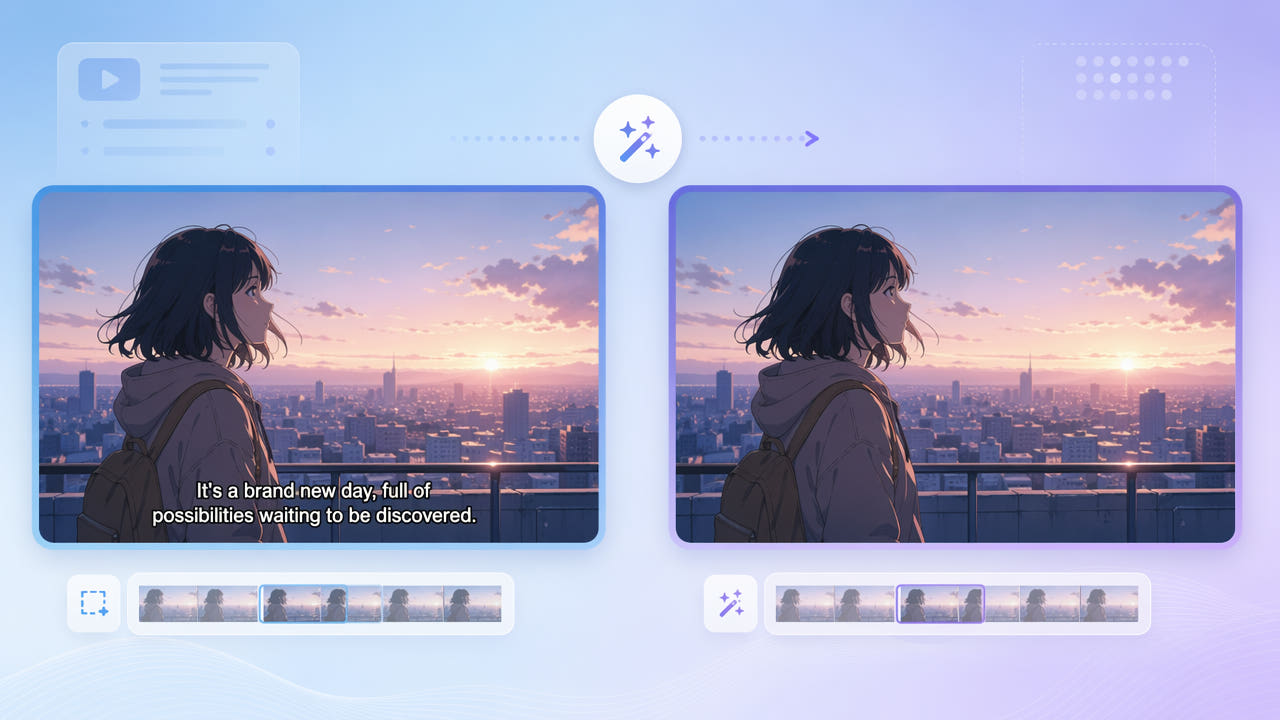
Ondertitels en rechten controleren
Controleer eerst het bestand. Een los ondertitelspoor kun je mogelijk uitzetten of vervangen zonder beeldreconstructie; ingebrande tekst is deel van het beeld.
Ingebrand of los spoor
Gebruik eigen materiaal of beelden waarvoor lokalisatie is toegestaan. Tekst verwijderen geeft geen rechten op tekeningen, dialoog, vertaling of verspreiding.
Rechten voor een nieuwe versie
Lijnen, verlopen, beweging en schaduwen bemoeilijken reconstructie. AI schat inhoud uit de omgeving en haalt verborgen originele tekeningen niet terug.
Herken ingebrande tekst en controleer rechten vóór beeldreconstructie.
550W Video Eraser proberen
550W schat vervangend beeld in het gekozen ondertitelgebied. Verandert de positie, pas dan de selectie aan of gebruik ondersteunde segmenten en bekijk de hele clip.
De tekststrook selecteren
Standard bewerkt binnen de selectie. Protect bewaart de binnenkant en bewerkt erbuiten; het verwijdert dus geen tekst in het vak en is geen modus voor hogere kwaliteit.
Een modus kiezen
Gebruik toegestane beelden en bekijk de uitvoer. De browserwerkwijze ondersteunt tot 1080p en 30 minuten. Controleer indelingen en bestandsgrootte in de huidige interface. Tijd, details en kwaliteit kunnen variëren.
Test Standard op de tekststrook en controleer details zonder perfecte reconstructie aan te nemen.
Een nieuwe vertaling voorbereiden
Met vertaalrechten kun je ruimte voor nieuwe tekst maken. Een los spoor of schoon origineel verdient de voorkeur; controleer gereconstrueerd beeld vóór nieuwe ondertitels.
Gebruik een duidelijke toegestane bron binnen de huidige limieten. Compressie maakt reconstructie moeilijker, maar scherp beeld garandeert geen natuurlijk resultaat.
Gedetailleerde scènes controleren
Ondertitelranden en schaduwen kunnen buiten de letters vallen. Neem die mee zonder onnodig belangrijke details te selecteren.
Randen en schaduwen meenemen
Bekijk beweging, scèneovergangen en de hele uitvoer. Hele scènes en losse segmenten garanderen geen samenhang tussen beelden.
De hele reeks bekijken
Neem randen en schaduwen mee en controleer beweging en overgangen.
Veelgestelde vragen
Kan ik ingebrande anime-ondertitels bewerken?
Dat kun je testen in toegestaan materiaal, maar AI kan fouten achterlaten. Een los spoor kun je uitzetten zonder het beeld te veranderen.
Kan reconstructie de tekeningen veranderen?
Standard gebruikt reconstructie in plaats van verplichte vervaging. Fijne lijnen en details kunnen veranderen; controleer de uitvoer tot 1080p.
Kan ik een eigen vertaling toevoegen?
Met rechten en bruikbaar beeld kun je een spoor of tekst in je editor toevoegen. Controleer timing en leesbaarheid vóór verspreiding.
Hoe controleer ik snelle scènes?
Test representatieve toegestane scènes en zoek in de hele uitvoer naar flikkering en gewijzigde details. Een hele-scènetaak garandeert geen samenhang.
Wat als de tekst van plaats verandert?
Pas de selectie aan of gebruik ondersteunde segmenten en controleer de hele clip op achtergebleven tekst en fouten.