AI Subtitle Remover — Best Online Tools Compared
Why Use an AI Subtitle Remover?
Removing hardcoded subtitles from video was once a task reserved for professional editors with expensive software and hours of patience. Today, AI-powered online tools make this process accessible to anyone with a web browser. These tools use deep learning models trained on millions of video frames to intelligently reconstruct the background behind burned-in text, producing results that are often indistinguishable from the original footage.
The demand for AI subtitle removal has grown significantly as content creators repurpose videos across platforms, translators need clean footage for localization work, and editors deal with watermarked preview clips. Whether you are removing auto-generated TikTok captions, foreign language subtitles from movies, or text overlays from stock footage, an AI subtitle remover handles the job in minutes rather than hours.
AI subtitle removers use deep learning inpainting to reconstruct video backgrounds behind burned-in text automatically.
In this comparison, we evaluate the leading online AI subtitle removal tools based on output quality, processing speed, supported formats, pricing, and ease of use. Each tool was tested with the same set of sample videos containing different subtitle styles and background complexities.
Top AI Subtitle Remover Tools Compared
1. 550W Video Eraser
550W Video Eraser is a dedicated AI-powered tool specifically designed for subtitle and watermark removal from video. It uses proprietary inpainting models optimized for text removal scenarios, which gives it an edge in handling various subtitle fonts, sizes, and background complexities.
The tool operates entirely in the browser with no software download required. Users upload their video, draw a selection box around the subtitle area, and receive processed results within seconds to minutes depending on video length. The interface is straightforward and requires no video editing experience.
Key strengths include fast processing speed with cloud GPU acceleration, high-quality inpainting that handles complex backgrounds well, batch processing support for multiple videos, and a selection memory feature that remembers subtitle positions for consistent video series. The free tier provides trial credits for new users, with affordable subscription plans for regular use.
2. Runway ML
Runway is a general-purpose AI creative platform that includes video inpainting among its many features. While not specifically designed for subtitle removal, its inpainting tool can be applied to this task by masking the subtitle region and letting the AI fill in the background.
The advantage of Runway is its versatility. Beyond subtitle removal, you get access to dozens of other AI video and image tools. However, this generalist approach means the inpainting model is not specifically optimized for text removal patterns. Results can be inconsistent with complex subtitle styles or semi-transparent text backgrounds. Pricing is credit-based and can become expensive for regular subtitle removal workflows.
3. HitPaw Video Object Remover
HitPaw offers a desktop application with AI-powered object removal capabilities that can be applied to subtitle removal. The tool uses a combination of detection and inpainting to identify and remove unwanted elements from video frames.
As a desktop application, HitPaw requires download and installation, which adds friction compared to browser-based tools. Processing happens locally on your hardware, meaning speed depends on your computer specifications. The tool handles simple subtitle removal well but can struggle with subtitles over highly detailed backgrounds. Pricing follows a subscription model with annual and lifetime license options.
4. Kapwing
Kapwing is an online video editor that includes basic inpainting functionality. While primarily designed as a general video editing platform, its remove tool can handle simple subtitle removal tasks. The browser-based interface is intuitive and familiar to users of other online editors.
Kapwing works best for subtitles on simple, solid-color backgrounds. Its inpainting model is less sophisticated than dedicated subtitle removal tools, producing noticeable artifacts on complex scenes. The free tier has significant limitations on export quality and video length. It is best suited for quick, simple removal tasks rather than professional-quality output.
5. Vmake AI
Vmake is a newer entrant in the AI video editing space offering subtitle and watermark removal as core features. The tool provides both web and mobile interfaces, making it accessible across devices. Processing is cloud-based with reasonable speed for short clips.
Quality results are generally good for standard subtitle positions at the bottom of the frame. The tool can struggle with subtitles that overlap with important visual elements or appear in unusual positions. Pricing is competitive with a generous free tier for occasional users.
Feature Comparison Table
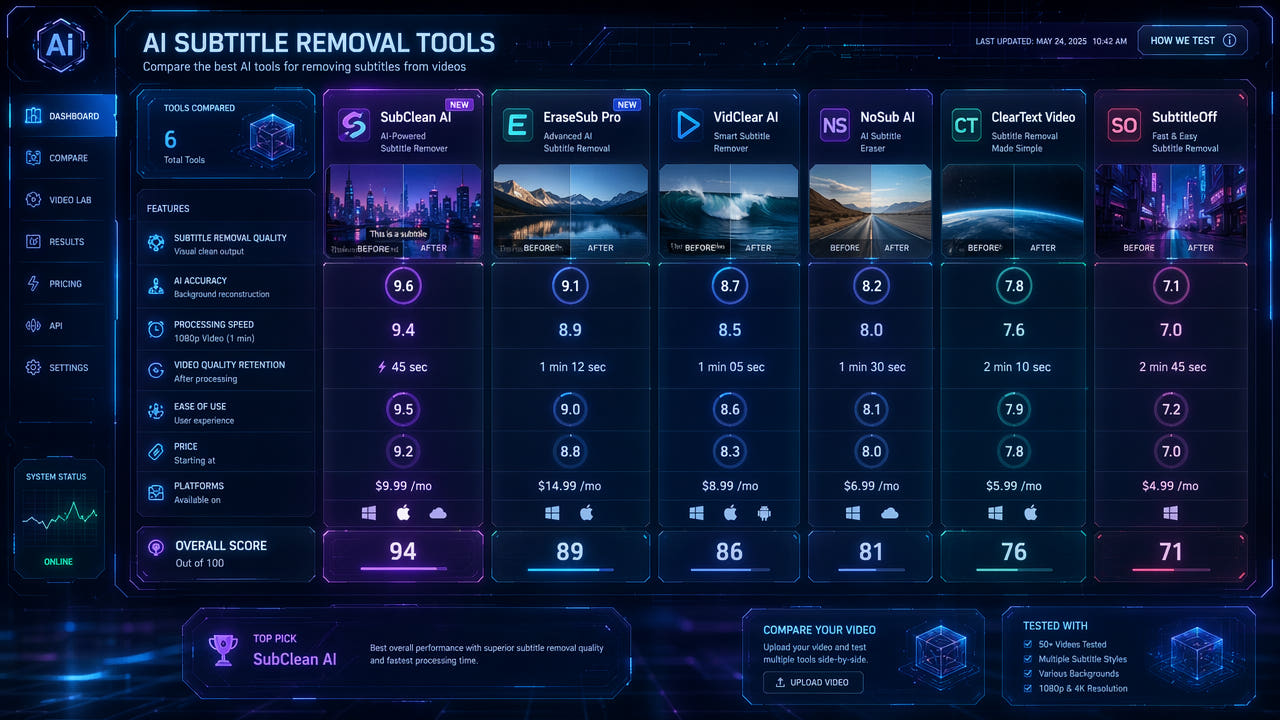
Here is a detailed comparison of the key features across all five tools to help you choose the right option for your specific needs.
When evaluating these tools, consider your primary use case. If you regularly remove subtitles from videos for content repurposing or translation work, a dedicated tool like 550W Video Eraser provides the best quality-to-cost ratio. For occasional use alongside other video editing tasks, a general platform like Runway or Kapwing may offer more value through their additional features.
Dedicated subtitle removal tools outperform general video editors in text inpainting quality and processing speed.
Processing speed varies significantly between tools. Cloud-based solutions like 550W process videos on powerful GPU servers, delivering results in seconds regardless of your local hardware. Desktop applications like HitPaw depend on your computer's GPU capabilities, which can mean longer wait times on older machines.
How to Choose the Right AI Subtitle Remover
Consider Your Volume
If you process videos occasionally, a tool with a generous free tier or pay-per-use pricing makes sense. For regular use such as daily content repurposing or batch translation workflows, a monthly subscription with unlimited or high-volume processing provides better value. Tools like 550W Video Eraser offer tiered plans that scale with your usage needs.
Evaluate Output Quality Requirements
For professional work where output quality is critical, test each tool with your specific video content before committing. Subtitle removal quality depends heavily on the background complexity, subtitle style, and video resolution. A tool that works perfectly for simple lower-third subtitles may produce visible artifacts when handling subtitles over faces or detailed textures.
Check Format and Size Limits
Verify that your chosen tool supports your video format and file size requirements. Most online tools accept MP4 and MOV with file size limits ranging from 100MB to 500MB. If you work with longer videos or less common formats, you may need to convert or split files before processing. Desktop applications generally support more formats and have fewer size restrictions since processing happens locally.
Assess Workflow Integration
Consider how the subtitle removal tool fits into your broader editing workflow. If you need to perform additional edits after subtitle removal, a tool that exports in high-quality formats without re-encoding is important. Some tools offer API access for automated batch processing, which is valuable for teams handling large content libraries. For a deeper look at how AI subtitle removal fits into content workflows, read our guide on removing hardcoded subtitles from any video.
Quality Factors That Affect AI Subtitle Removal
Understanding what affects removal quality helps you set realistic expectations and optimize your results regardless of which tool you choose.
Background Complexity
The single biggest factor in removal quality is the complexity of the background behind the subtitles. Solid colors, sky, water, and simple gradients produce near-perfect results across all tools. Detailed textures, faces, text, and fine patterns present more challenge and reveal quality differences between tools. When working with complex backgrounds, dedicated tools with specialized inpainting models consistently outperform general-purpose solutions.
Subtitle Style and Opacity
Standard opaque white or yellow subtitles on a dark background are the easiest to remove cleanly. Semi-transparent subtitle backgrounds, outlined text, and subtitles with drop shadows require more sophisticated processing. Some tools handle these variations better than others, so testing with your specific subtitle style is important before committing to a workflow.
Video Resolution and Bitrate
Higher resolution videos generally produce better removal results because the AI has more pixel information to work with when reconstructing backgrounds. Low-resolution or heavily compressed videos may show more artifacts after processing. If possible, work with the highest quality source material available. For more on maintaining quality during subtitle removal, see our article on removing subtitles without quality loss.
Pricing Overview
Pricing models vary across tools, from free tiers with limitations to professional subscriptions. Most tools offer trial credits or free processing for short videos, allowing you to test quality before purchasing. Monthly subscriptions typically range from five to thirty dollars depending on processing volume and feature access.
For occasional users processing a few videos per month, free tiers or pay-per-use models provide the best value. Regular users benefit from monthly subscriptions that offer unlimited or high-volume processing at a fixed cost. Teams and agencies should look for tools with API access and batch processing capabilities that scale efficiently with volume.
When comparing prices, consider the total cost of your workflow. A slightly more expensive tool that produces better results on the first attempt saves time and money compared to a cheaper tool that requires multiple processing attempts or manual touch-up work afterward.
Frequently Asked Questions
What is the best AI subtitle remover tool in 2025?
550W Video Eraser offers the best balance of quality, speed, and affordability for AI subtitle removal with cloud-based processing and no installation required.
Are online AI subtitle removers free to use?
Most tools offer free trials with limited processing. Paid plans typically range from five to thirty dollars monthly depending on usage volume and features.
Can AI subtitle removers handle all video formats?
Most online tools accept MP4 and MOV formats. Some also support AVI and MKV. Check each tool for format compatibility and file size limits.