Remove Watermark from Video Free — Top Methods
Why You Need Free Watermark Removal
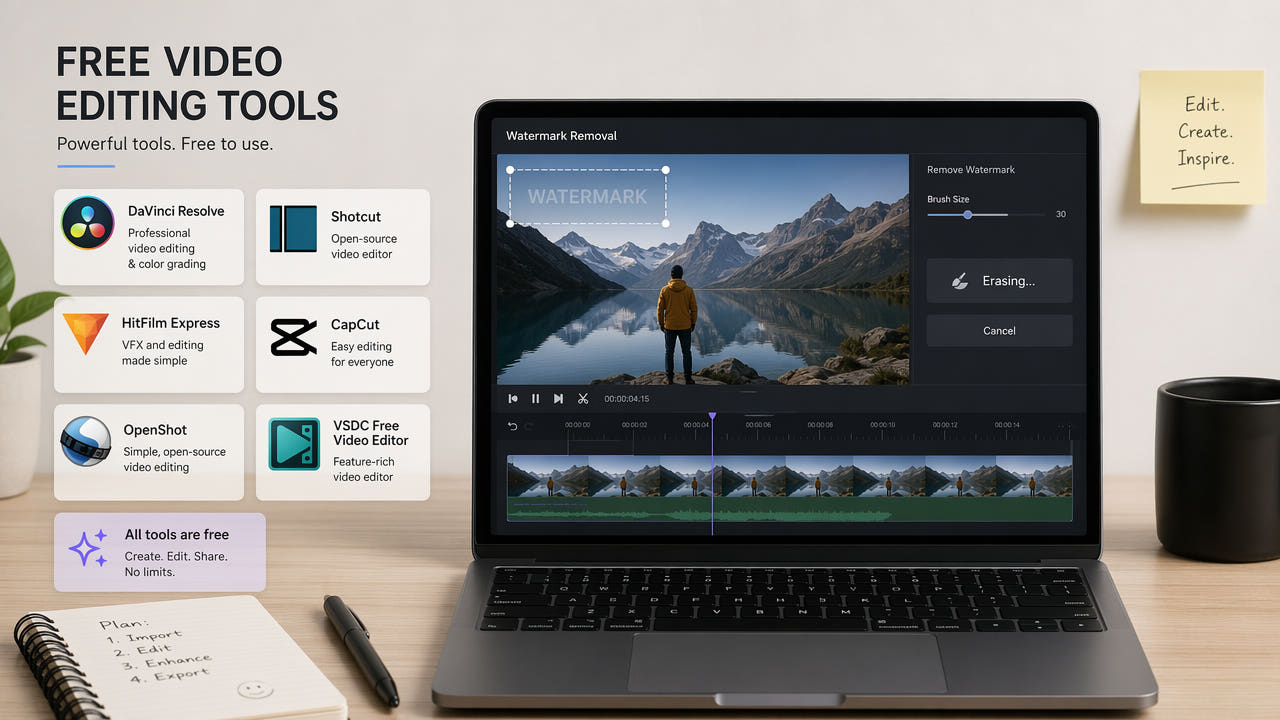
Video watermarks appear in countless situations that require removal. Stock footage previews carry large semi-transparent watermarks across the frame. Social media downloads include platform branding. Screen recordings may contain software trial watermarks. AI-generated videos from tools like Sora, Runway, and Pika often include mandatory watermarks on free-tier outputs. Whatever the source, you need a clean video for professional use.
The good news is that effective watermark removal does not always require expensive software or subscriptions. Several free and freemium options exist that produce quality results for different use cases. The key is understanding the trade-offs between completely free solutions and freemium tools that offer limited free processing with premium quality.
Free watermark removal options range from open-source command-line tools to AI-powered services offering limited free credits with professional quality.
In this guide, we compare the best free methods for removing watermarks from video, covering AI-powered online tools with free tiers, open-source software, and manual techniques. Each method is evaluated for output quality, ease of use, processing speed, and limitations.
Method 1: AI-Powered Online Tools (Free Trials)
AI-powered watermark removal tools offer the highest quality results by using deep learning inpainting to reconstruct the background behind watermarks. While most require a subscription for regular use, many offer free trials or credits that allow you to process several videos at no cost.
550W Video Eraser
550W Video Eraser provides free trial credits for new users, allowing you to test the AI watermark removal quality before committing to a subscription. The tool uses proprietary inpainting models specifically trained for text and logo removal, producing natural-looking results even on complex backgrounds. Upload your video, select the watermark region, and receive processed output within seconds. No software installation required since everything runs in the browser.
The free tier is ideal for occasional use or evaluating whether AI removal meets your quality requirements. For regular use, affordable subscription plans provide unlimited processing. The tool handles various watermark types including text overlays, logos, platform branding, and semi-transparent watermarks.
Other AI Tools with Free Tiers
Several other AI video editing platforms offer limited free watermark removal. Kapwing provides basic inpainting with free exports at reduced quality. Vmake offers a small number of free processing credits. These tools vary in quality and may add their own branding to free-tier exports, so verify the output before relying on them for important projects.
Method 2: FFmpeg Delogo Filter (Completely Free)
FFmpeg is a powerful open-source multimedia framework that includes a delogo filter capable of removing static watermarks from video. This method is completely free with no usage limits, but requires command-line knowledge and produces lower quality results compared to AI inpainting.
How the Delogo Filter Works
The FFmpeg delogo filter works by interpolating pixel values from the edges of the specified region inward. It essentially blends the surrounding colors to fill the watermark area. This produces acceptable results for small watermarks on simple backgrounds but creates visible smearing on complex scenes or large watermarks.
Basic FFmpeg Command
The basic command structure specifies the input file, the watermark coordinates (x, y position and width, height), and the output file. You need to determine the pixel coordinates of your watermark manually, which requires some trial and error. The filter processes the entire video at the specified region, so it works best for static watermarks that do not move.
Limitations of FFmpeg Approach
The delogo filter uses simple interpolation rather than intelligent content reconstruction. Results are noticeably inferior to AI inpainting, especially for watermarks over detailed backgrounds, moving content, or large watermark areas. The filter also requires exact pixel coordinates, making it less user-friendly than visual selection tools. However, for batch processing of videos with consistent watermark positions, FFmpeg's scriptability is a significant advantage.
FFmpeg delogo filter is completely free and scriptable for batch processing, but produces lower quality than AI inpainting methods.
Method 3: Cropping and Masking (Free in Any Editor)
The simplest free approach to watermark removal is cropping the video frame to exclude the watermark area. This works in any video editor including free options like DaVinci Resolve, Shotcut, and OpenShot. While technically free and easy, this method has significant quality trade-offs.
Cropping Approach
If the watermark is positioned in a corner, you can crop the frame to remove that corner entirely. This reduces your effective resolution proportionally to how much you crop. A corner watermark might require cropping 10 to 15 percent of the frame, resulting in noticeable resolution loss. You can maintain the output resolution by upscaling, but this introduces blur across the entire frame.
Overlay Masking
Another free approach is placing a solid color block, blur effect, or decorative element over the watermark area. This does not actually remove the watermark but conceals it behind another visual element. While quick and free, the result looks obviously edited and is only acceptable for informal use where professional quality is not required.
When Cropping Makes Sense
Cropping is acceptable when the watermark is small and positioned in a corner with non-essential content, when you are working with high-resolution source material where some resolution loss is tolerable, or when you need a quick solution and quality is not the primary concern. For professional work or content where quality matters, AI inpainting is the better choice even if it requires using free trial credits.
Method 4: DaVinci Resolve Object Removal (Free)
DaVinci Resolve, the professional video editing software available in a free version, includes some object removal capabilities in its Fusion page. While not specifically designed for watermark removal, the tracking and paint tools can be used to manually remove static or moving watermarks.
Using the Paint Tool
The Fusion page paint tool allows you to clone stamp over watermark areas frame by frame or with motion tracking. This produces good results but requires significant manual effort and familiarity with DaVinci Resolve's node-based compositing system. For short clips with simple backgrounds, this can produce professional-quality results at no cost.
Tracking for Moving Watermarks
If your watermark moves across the frame, DaVinci Resolve's planar tracker can follow the watermark position and apply removal effects that track with the motion. This is more complex to set up but handles dynamic watermarks that simpler tools cannot address. The learning curve is steep for users unfamiliar with compositing workflows.
For most users, the time investment required to learn and execute watermark removal in DaVinci Resolve exceeds the value compared to using a dedicated AI tool. However, for editors already proficient in Resolve, it provides a completely free option with professional-quality output potential. For a comparison of AI-powered alternatives, see our AI subtitle remover tools comparison.
Comparing Free Watermark Removal Methods
Each free method has distinct strengths and weaknesses. Your choice depends on your specific requirements for quality, speed, technical skill, and volume.
Quality Ranking
In terms of output quality, AI inpainting tools produce the best results by far, followed by manual DaVinci Resolve work for skilled editors, then FFmpeg delogo for simple cases, and finally cropping as the lowest quality option. If quality is your priority and you only need to process a few videos, using free trial credits on an AI tool is the best approach.
Ease of Use Ranking
For ease of use, AI online tools rank first with their simple upload-select-process workflow. Cropping in a basic editor is second. FFmpeg requires command-line knowledge, ranking third. DaVinci Resolve manual removal is the most complex, requiring significant software expertise. If you want the fastest path to a clean video with minimal learning, browser-based AI tools are the clear winner.
Volume and Scalability
For processing large numbers of videos, FFmpeg's scriptability makes it the best free option despite lower quality. You can write a batch script that processes hundreds of videos with consistent watermark positions overnight. AI tools with free tiers are limited by credit allowances. DaVinci Resolve and cropping approaches require manual intervention for each video, making them impractical at scale.
For creators who regularly need watermark removal, the most practical approach is using AI tool free trials for important content where quality matters, and FFmpeg scripts for bulk processing where speed matters more than perfection. This hybrid approach maximizes quality where it counts while keeping costs at zero. For platform-specific watermark removal, see our guide on removing TikTok watermarks.
Tips for Better Free Watermark Removal
Regardless of which free method you choose, these tips will help you achieve the best possible results.
Start with the Best Source Quality
Always work from the highest quality version of your video available. Higher resolution and bitrate provide more information for any removal method to work with. If you have access to the original file before watermarking, that is always preferable to working with a compressed download.
Identify the Watermark Type
Different watermark types respond differently to removal methods. Opaque text watermarks in corners are easiest to handle with any method. Semi-transparent watermarks that cover large areas are the most challenging and really benefit from AI inpainting. Moving or animated watermarks require tracking capabilities that only some tools provide.
Test Before Committing
Before processing your entire video, test the removal on a short segment to verify quality. This is especially important with free tools where you may have limited processing credits. A 10-second test clip reveals whether the tool handles your specific watermark type and background complexity well enough for your needs.
Combine Methods When Needed
Sometimes the best approach combines multiple methods. Use AI inpainting for the main watermark removal, then apply a slight crop to clean up any edge artifacts. Or use FFmpeg for bulk processing and then touch up the most important videos with an AI tool. Flexibility in combining approaches often produces better results than relying on a single method. For understanding how quality is preserved during removal, read our article on removing subtitles without quality loss.
Common Watermark Types and Best Free Solutions
Different watermark types require different approaches. Here is a quick reference for matching your watermark type to the best free removal method.
Platform Watermarks (TikTok, Instagram, YouTube)
Platform watermarks are typically small, positioned in corners, and semi-transparent. AI tools handle these excellently even with free trial credits. FFmpeg delogo also works reasonably well since these watermarks are usually in consistent positions with relatively simple backgrounds behind them.
Stock Footage Watermarks
Stock footage watermarks are designed to be difficult to remove. They are usually large, semi-transparent, and positioned across the center of the frame. Only AI inpainting produces acceptable results for these. Free trial credits on AI tools are the best free option. FFmpeg and cropping are ineffective for center-positioned transparent watermarks.
Software Trial Watermarks
Screen recording software and video editors often add watermarks to free-tier exports. These vary widely in size and position. Small corner watermarks can be handled by any method. Large banner watermarks across the top or bottom respond well to AI inpainting but poorly to interpolation methods.
AI Video Generator Watermarks
Watermarks from AI video generators like Sora, Runway, Pika, and Kling are a growing category. These are typically small text or logo marks in corners, similar to platform watermarks. AI inpainting tools remove them cleanly, and their consistent positioning makes FFmpeg batch processing viable for lower quality requirements.
Frequently Asked Questions
Can I remove watermarks from video completely free?
Yes. Open-source tools like FFmpeg offer completely free watermark removal. Many AI tools also provide free trials with limited credits for new users.
What is the best free watermark remover for video?
For quality, AI tools with free trials like 550W Video Eraser are best. For unlimited free use with lower quality, FFmpeg delogo filter is the top choice.
Do free watermark removers add their own watermark?
Some free tools add branding to exports. Reputable tools like 550W Video Eraser and FFmpeg do not add watermarks to processed output files.