How to Remove TikTok Watermark for Repurposing
Why Remove TikTok Watermarks?
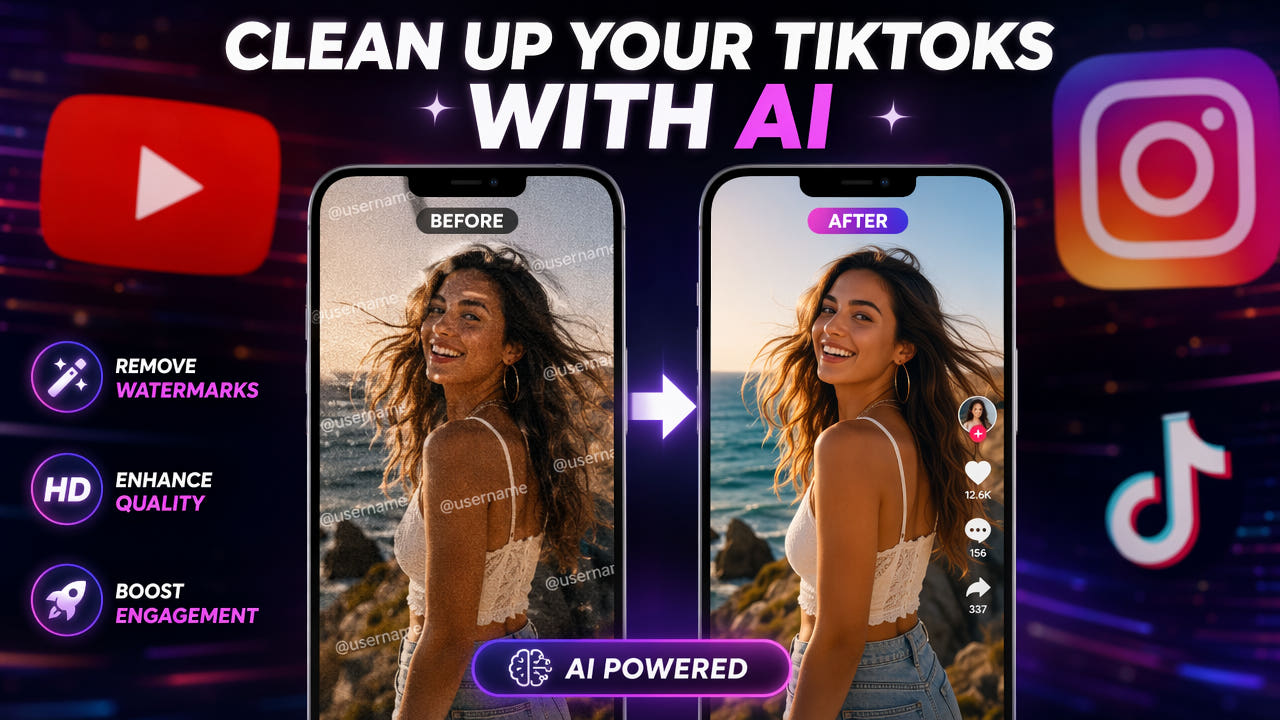
TikTok automatically adds a semi-transparent username watermark to every video downloaded through the app. This watermark includes the creator's username and the TikTok logo, typically positioned in the bottom-right corner of the frame. While this serves as attribution on TikTok itself, it creates problems when repurposing content for other platforms.
Content creators who produce original videos on TikTok often want to share the same content on YouTube Shorts, Instagram Reels, Facebook, and other platforms. Uploading videos with visible TikTok watermarks to competing platforms looks unprofessional and can trigger algorithmic suppression. Instagram and YouTube have both been reported to reduce reach for videos containing competitor platform watermarks.
Platform algorithms may suppress videos containing competitor watermarks, making removal essential for cross-platform content strategy.
Beyond algorithmic concerns, watermarked videos simply look less polished. Viewers associate visible watermarks with low-effort reposts rather than original content. For creators building a professional brand across multiple platforms, clean watermark-free videos are essential for maintaining consistent quality and audience trust.
Step-by-Step: Remove TikTok Watermark with AI
Follow this workflow to remove TikTok watermarks from your videos using AI-powered tools. The entire process takes just a few minutes and requires no video editing experience.
Step 1: Download Your TikTok Video
First, save the TikTok video to your device. You can use TikTok's built-in download button, which saves the video with the watermark overlay. For the best quality source, use a third-party downloader that can save videos at original quality before TikTok applies additional compression. The higher the quality of your source file, the better the watermark removal results will be.
Step 2: Upload to an AI Watermark Remover
Open 550W Video Eraser in your web browser. Upload the downloaded TikTok video by dragging it to the upload area or clicking to browse your files. The tool accepts MP4 files up to 300MB in size and up to 3 minutes in duration. For longer TikTok videos, split them into segments before uploading.
Step 3: Select the Watermark Region
Once your video loads in the preview, draw a selection box around the TikTok watermark. The watermark typically appears in the bottom-right corner and includes the username text and TikTok logo. Make your selection tight around the watermark boundaries for the cleanest results. If the watermark moves or changes position during the video, the AI detection will track it within your selection region.
Step 4: Process and Download
Click the process button to start AI watermark removal. The tool analyzes each frame, identifies the watermark pixels, and reconstructs the background behind them using inpainting technology. Processing typically takes 30 to 60 seconds for a standard TikTok video. Once complete, preview the result and download the clean video file ready for uploading to other platforms.
Alternative Methods for TikTok Watermark Removal
While AI inpainting provides the best quality results, several other approaches exist for removing TikTok watermarks. Each has different trade-offs in terms of quality, cost, and convenience.
No-Watermark Download Tools
Several online services and apps claim to download TikTok videos without the watermark. These tools work by accessing TikTok's CDN directly to retrieve the original video file before the watermark is applied. While convenient, these services are unreliable because TikTok frequently changes its API and CDN structure, breaking third-party downloaders. They also may not work for all videos, particularly those with restricted download permissions.
Cropping the Watermark Area
A simple approach is to crop the video frame to exclude the watermark region. Since TikTok watermarks appear in the corner, cropping removes them along with a portion of the frame. The downside is reduced resolution and potential loss of important visual content near the edges. This method works in a pinch but produces noticeably lower quality output compared to AI removal.
Zooming and Repositioning
Some creators zoom into the video slightly and reposition the frame to push the watermark outside the visible area. This is similar to cropping but maintains the output resolution by upscaling. The trade-off is a slight loss of sharpness across the entire frame due to upscaling, plus the loss of edge content. This approach works best when the watermark is small relative to the frame and the important content is centered.
AI inpainting removes TikTok watermarks while preserving full frame resolution and all visual content in the original video.
Cross-Platform Repurposing Workflow
Removing the TikTok watermark is just one step in a complete cross-platform content repurposing workflow. Here is how to efficiently adapt your TikTok content for other platforms.
TikTok to YouTube Shorts
YouTube Shorts uses the same 9:16 vertical format as TikTok, making direct repurposing straightforward. After removing the TikTok watermark, you may also need to remove TikTok's auto-generated captions if they were burned into the video. Upload the clean video to YouTube Shorts with a new title and description optimized for YouTube search. Add relevant hashtags and consider adding a YouTube-specific end screen or call to action.
TikTok to Instagram Reels
Instagram Reels also uses 9:16 vertical format, so aspect ratio conversion is not needed. Remove the TikTok watermark and any TikTok-specific text overlays or stickers. Instagram's algorithm favors native-looking content, so removing all traces of TikTok origin helps with reach. Consider adding Instagram-specific features like polls, questions, or location tags after uploading.
TikTok to Horizontal Platforms
For platforms that prefer horizontal video like YouTube main feed or LinkedIn, you will need to convert the 9:16 vertical format. Options include adding blurred background bars on the sides, cropping to 16:9 with some content loss, or using AI-powered format conversion tools that intelligently reframe the content. Remove the watermark before format conversion for the cleanest results.
Batch Processing for Content at Scale
Creators who repurpose content regularly benefit from batch processing workflows. Tools like 550W Video Eraser support uploading multiple videos for sequential processing, saving time compared to handling each video individually. For high-volume creators managing dozens of videos per week, establishing a consistent workflow with batch watermark removal as the first step streamlines the entire repurposing pipeline.
Handling TikTok Auto-Captions
In addition to the username watermark, many TikTok videos include auto-generated captions that are burned into the video when downloaded. These captions appear as text overlays throughout the video and require separate removal from the corner watermark.
Auto-captions typically appear in the center-bottom area of the frame and change with each spoken phrase. Because they move and change throughout the video, removing them requires either frame-by-frame processing or an AI tool that can detect and track text across the entire video duration. The same AI inpainting approach used for watermark removal works for caption removal, but you may need to define a larger selection area that covers all possible caption positions.
For a detailed guide on removing burned-in captions and subtitles, see our article on removing hardcoded subtitles from any video. The techniques described there apply directly to TikTok auto-captions.
Legal and Ethical Considerations
Before removing watermarks from TikTok videos, it is important to understand the legal and ethical boundaries of this practice.
Your Own Content
Removing watermarks from your own original content is perfectly legal and ethical. You created the video and have full rights to distribute it on any platform in any format. The TikTok watermark is added by the platform during download and does not represent any third-party rights claim. Repurposing your own content across platforms is a standard and encouraged content strategy.
Others' Content
Removing watermarks from videos created by other people raises both legal and ethical concerns. The watermark serves as attribution to the original creator. Removing it and reposting the content without credit may violate copyright law and platform terms of service. If you want to share someone else's TikTok content on another platform, the ethical approach is to credit the original creator, seek permission, or use platform-native sharing features that maintain attribution.
Platform Terms of Service
TikTok's terms of service address video downloading and redistribution. While downloading your own videos is permitted, mass downloading others' content for redistribution may violate these terms. Each destination platform also has its own policies regarding repurposed content. Familiarize yourself with the relevant terms before establishing a large-scale repurposing workflow. For more on free watermark removal options, see our guide on removing watermarks from video for free.
Tips for Best Watermark Removal Results
Follow these best practices to achieve the cleanest possible output when removing TikTok watermarks from your videos.
Use the Highest Quality Source
Download your TikTok video at the highest available quality. If possible, use a downloader that retrieves the original upload quality rather than the compressed version served to viewers. Higher quality sources provide more pixel information for the AI to work with when reconstructing the background behind the watermark.
Process Before Other Edits
Remove the watermark as the first step in your editing workflow, before applying any other effects, filters, or format conversions. This ensures the AI works with the cleanest possible source material. Adding effects or re-encoding before watermark removal can introduce compression artifacts that make the removal process less effective.
Check for Multiple Watermarks
TikTok videos may contain multiple watermark elements: the username in the bottom-right, the TikTok logo, and sometimes a second username watermark that moves across the frame. Identify all watermark elements before processing and ensure your selection covers each one. Some tools allow multiple selection regions for handling watermarks in different positions simultaneously.
Frequently Asked Questions
Is it legal to remove TikTok watermarks from your own videos?
Yes. Removing watermarks from your own content for cross-platform repurposing is legal. Removing watermarks from others' content may violate copyright.
Can I remove the TikTok watermark without losing video quality?
Yes. AI inpainting tools remove watermarks by reconstructing background pixels, preserving original video resolution and quality throughout the frame.
Why does TikTok add a watermark to downloaded videos?
TikTok adds username watermarks to downloaded videos for creator attribution and platform promotion, including the creator's username and TikTok logo.