Blur or Remove Faces in Video for Privacy
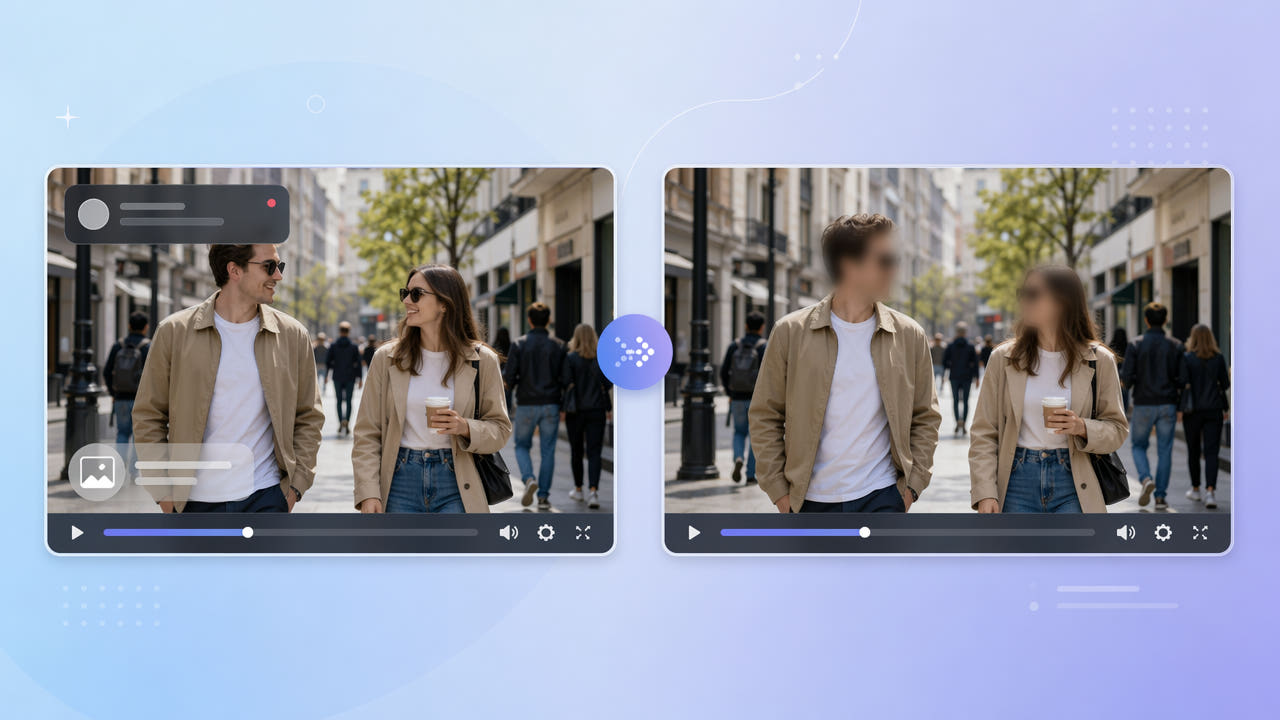
When and Why to Hide Faces in Video
Anyone publishing real-world footage may need to protect the identity of bystanders. Vloggers filming in public, journalists protecting sources, and businesses sharing customer-facing clips all face situations where faces should not be identifiable.
Privacy and Consent
Privacy regulations such as GDPR treat a recognizable face as personal data. Blurring or removing faces before publishing reduces risk and respects the people who appear in the background without their consent.
Identifying Text Counts Too
Identity is not only faces. License plates, name badges, house numbers, and on-screen names can identify a person or place just as easily. A thorough privacy pass addresses identifying text along with faces.
Faces, license plates, badges, and names are all identifying details; a privacy pass should address text and faces together.
Two Ways to Protect Identity
There are two approaches. A soft blur obscures a face while keeping the sense that a person is there, which suits documentary and vlog contexts. Full removal reconstructs the area so the identifying detail is gone entirely, which is stronger when the detail must not be recoverable.
Soft Blur
550W Video Eraser specializes in removal: it reconstructs the marked area using surrounding context, which is the right tool for erasing identifying text like a name badge, license plate, or on-screen caption that reveals who someone is.
Full Removal with Inpainting
For identifying text and overlays, mark the region and the AI rebuilds the background so the detail is gone rather than merely smudged. This is the same reliable text-removal capability used across the product, applied to a privacy goal.
Choose a soft blur to suggest a person is present, or full AI removal when an identifying detail must be completely gone.
A Practical Privacy Workflow
Start by listing every identifying element in the clip: faces, plates, badges, signage, and any burned-in names. Mark each region you want removed; for elements that move, full-screen mode helps the AI track them across the clip.
Mark Identifying Details
Select the video, mark the regions, and export. Protect mode is useful when details sit over busy or moving backgrounds. Then review the whole clip frame by frame, since a face or plate can briefly become visible during motion if a selection is too tight.
Process and Review
Because processing runs in the cloud and the file is deleted automatically afterward, sensitive footage is not retained. Keep an untouched original in your own secure storage if you need the record.
Getting Reliable Privacy Results
For privacy work, err on the side of larger selections. A region that fully covers a face or plate with margin is safer than a tight box that might expose an edge as the subject moves.
Be Generous with Selections
Review is essential. Scrub the full timeline and step through any fast motion to confirm no identifying detail reappears between frames before you publish or share the footage.
Check Every Frame
For privacy, use generous selections and review every frame so no face or plate slips through during motion.
Frequently Asked Questions
Can I remove identifying text like a name badge or license plate?
Yes. Mark the text region in 550W Video Eraser and the AI reconstructs the background so the identifying detail is gone, not just smudged.
Should I blur or fully remove a face?
A soft blur keeps the sense of a person present; full removal is stronger when the detail must not be recoverable. Choose based on your privacy needs.
How do I handle a face that moves around the frame?
Use full-screen detection so the AI tracks the moving subject, and review the clip to confirm coverage throughout.
Is my sensitive footage stored after processing?
No. Processing happens in the cloud and your file is deleted automatically once the result is ready. Keep an original in your own secure storage.
Does this guarantee GDPR compliance?
It is a strong technical step, but compliance also depends on your policies and review process. Always verify the output frame by frame before publishing.