Remove News Tickers and Lower Thirds with AI
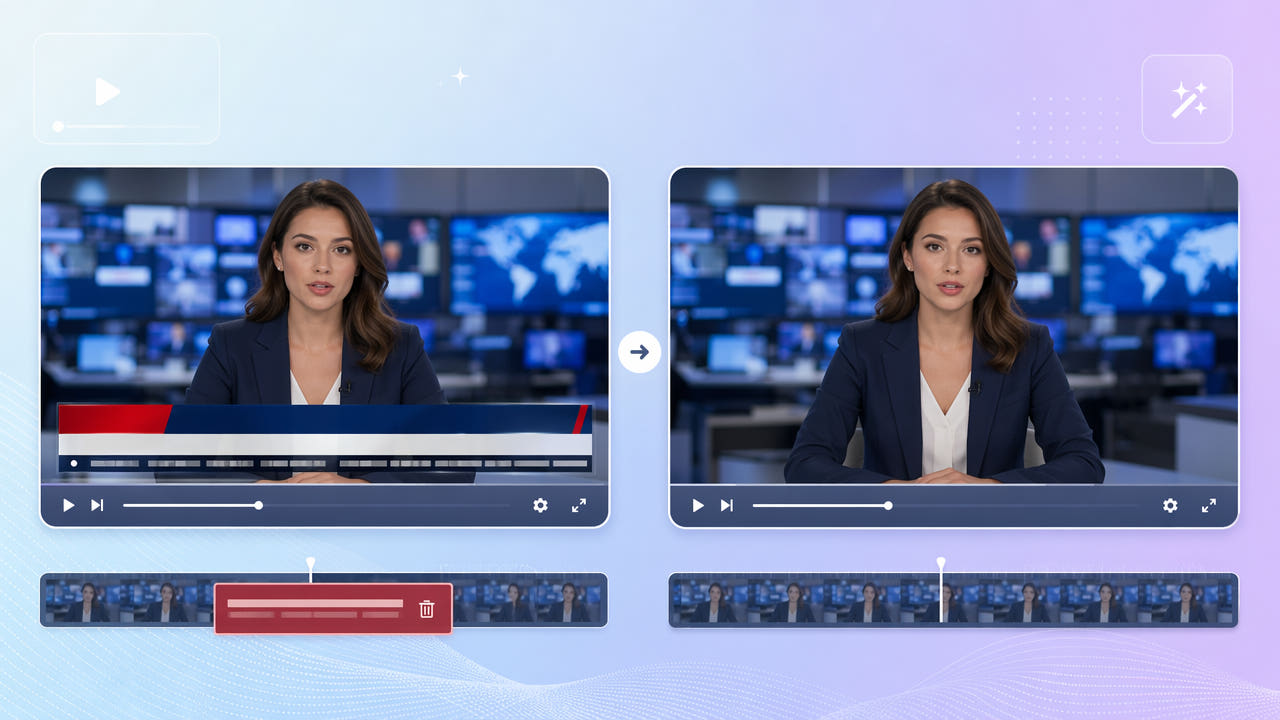
Anatomy of Broadcast Overlays
Broadcast footage layers several graphics over the picture: a scrolling ticker along the bottom edge, lower thirds naming a speaker, and chyrons with headlines. Each is burned into the recording and spans a large portion of the lower frame.
Tickers, Lower Thirds, and Chyrons
These overlays are larger and more dynamic than a simple corner logo. A ticker scrolls continuously and a lower third can animate in and out, so removal has to handle a wide, moving band rather than a fixed point.
Why They Are Hard to Remove
Clip accounts, commentary channels, and archivists often want the underlying footage without the news graphics. Because the band is so large, cropping it away would lose too much of the frame, making in-place reconstruction the only clean option.
News tickers and lower thirds occupy a wide, moving band that is too large to crop, so in-place AI reconstruction is the clean solution.
Removing the Ticker Band with AI
550W Video Eraser can cover the entire lower-third band and reconstruct the scene behind it. Mark the band that holds the ticker and chyron, and the AI fills it using the visible part of the frame and surrounding motion.
Mark the Lower Band
Because tickers scroll and backgrounds often move, Protect mode is the right choice. It dedicates more processing to rebuild the busy lower region so the result does not show a smear where the bar used to be.
Use Protect Mode for Motion
Select the clip, mark the band, and export the clean result. The upper portion of the frame stays untouched at up to 1080p, and there is no cropping, so the composition is preserved.
Mark the full lower band and use Protect mode so the scrolling ticker and chyron are rebuilt without a smear.
Cleaning Up Broadcast Clips
Broadcast recordings often carry a station logo bug in a corner along with the ticker. The same eraser removes both — our guide on removing a channel logo from a recording covers the corner mark in detail.
Only reuse broadcast footage you are licensed to use. Removing graphics produces a clean frame but does not grant rights to the underlying content.
Tips for Large-Area Reconstruction
Tickers sometimes stack a headline bar above the scrolling line. Make sure your selection covers the full height of all the graphics so no strip of leftover text remains at the top or bottom edge of the band.
Include the Full Band Height
Work from the highest-quality capture available. A clean recording gives the AI more usable scene information above the band to reconstruct from, which improves results across the wide area a ticker occupies.
Start From a Clean Capture
Cover the full height of stacked graphics and start from a clean capture so the AI has enough scene context to rebuild the wide band.
Frequently Asked Questions
Can I remove a scrolling news ticker from a clip?
Yes. Mark the lower band in 550W Video Eraser and Protect mode reconstructs the scene behind the moving ticker and chyron.
Can I remove a lower third naming a speaker?
Yes. Include the lower-third graphic in your selection and the AI rebuilds the area behind it across the frames where it appears.
Do I have to crop to remove the ticker?
No. The eraser rebuilds the band in place, preserving the full frame and original composition.
Will the rest of the broadcast look natural?
Yes. Only the marked band is reconstructed; the upper frame stays at the source resolution up to 1080p.
Can I remove the station logo at the same time?
Yes. Mark the corner logo along with the ticker band and the AI removes both in one pass.