Apowersoft Alternative for Video Cleanup: What to Verify
Updated · Product workflow reviewed by 550W AI Labs
Considering an Apowersoft Alternative
Before looking for an Apowersoft substitute, decide whether the mark is on a separate editable layer or baked into the export. Confirm you have the rights to alter the footage, and keep a clean export from the source project as the preferred option when one exists.
Start with the Source and Permission
Compare the current Apowersoft offering with 550W using one representative, authorized clip. Check the edition and workflow you would actually use, then judge the resulting files rather than relying on an older feature list or a single screenshot.
Compare Current Workflows
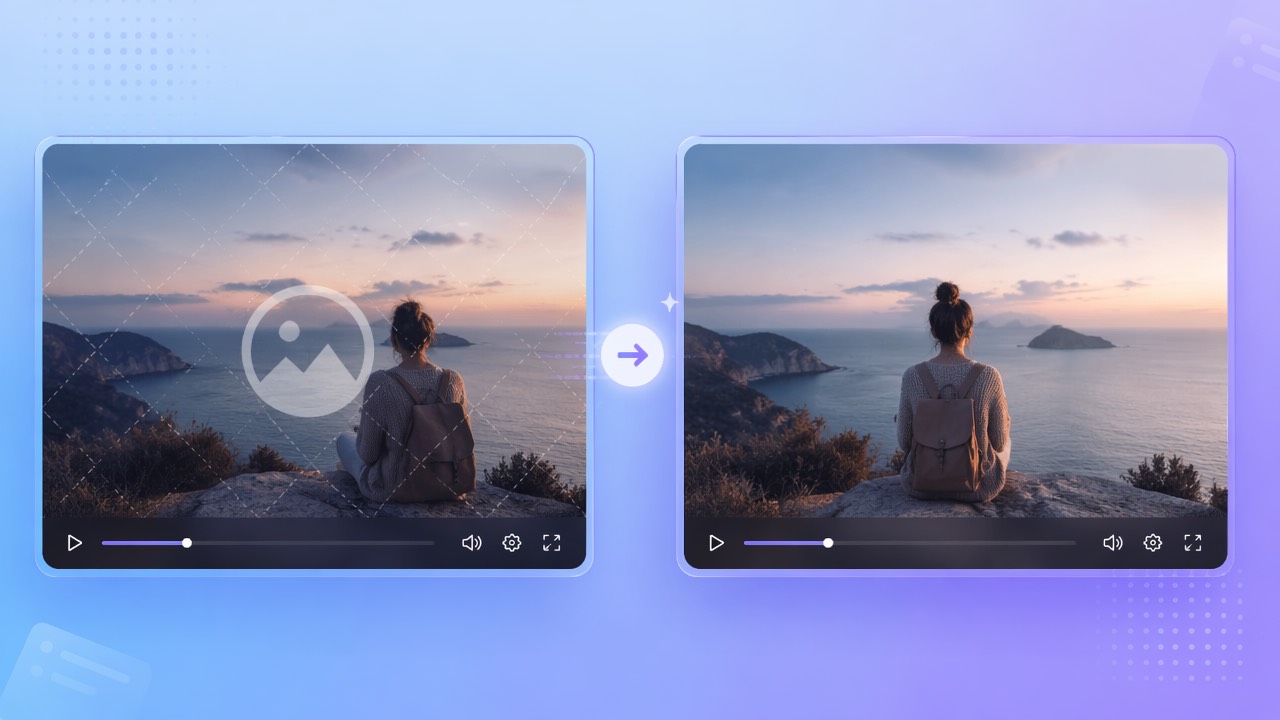
550W Video Eraser lets you select a watermark or burned-in subtitle area in a browser workflow. Its AI estimates replacement content from nearby imagery; it does not reveal the pixels hidden by the mark, so the output needs human review.
Use rights-cleared footage to compare the current Apowersoft and 550W workflows, and treat each export as something to inspect.
What to Check in 550W Video Eraser
The video workflow accepts eligible MP4 and MOV files up to 1080p and 30 minutes. You can mark an area or choose fullscreen removal; confirm file-size eligibility in the upload interface before preparing a comparison clip.
Supported Video and Selection
Turnaround depends on the footage, selection, and service conditions. Review the full export for edges, motion, fine detail, sound, and encoding before deciding whether the result suits your use.
Review Every Export
Open the current product screens and policies to compare task estimates, offers, renewal terms, upload handling, and retention. A past price or credit promotion is not a dependable guide to today’s terms.
Check the live upload limits and terms, then review picture, sound, and encoding across the full output.
Apowersoft and 550W: A Verification Checklist
For Apowersoft, verify the exact product edition, supported workflow, and terms in its current official materials. Then apply the same checks to 550W; product names alone do not show which tool matches your source file or delivery needs.
| Check | Apowersoft: verify now | 550W browser workflow |
|---|---|---|
| Video input | Current supported formats, duration, resolution, and size | Eligible MP4 or MOV; up to 1080p and 30 minutes |
| Selection | Current controls and tracking limitations | Manual box selection or fullscreen removal |
| Reconstruction | Actual output and visible artifacts | AI estimates selected imagery; hidden pixels are not restored |
| Multiple files | Documented task and review controls | Eligible videos are submitted as independent tasks |
| Pricing | Current trial, credits, subscriptions, and renewal terms | Check current interface and task estimate |
| Privacy | Current upload, retention, and training terms | Check current published policies |
| Output | Compare the complete authorized export | Review full video, audio, and encoding |
A useful comparison records import eligibility, how the target area is selected, the complete export, and how much manual inspection is needed. Compare cost and privacy requirements alongside visible output instead of declaring a universal winner.
Match tools by verified requirements and complete sample exports, not by an old ranking.
Test an Authorized Clip
Choose a short segment that reflects the mark and background in your real project, and make sure it is yours to edit. Compare exports from both current workflows using the same source where practical.
Upload, Select, Review
With a manual selection, include the mark and any halo while avoiding unrelated picture detail. A moving overlay may need more than one selection. Standard processes inside the selected area; Protect preserves that area and processes outside it. Protect changes the affected region, not the quality tier.
What to Do with Difficult Scenes
If a trial leaves artifacts, inspect the source and selection before deciding what to try next. A second pass may not remove the defect; compare against the clean source project and check any new task estimate first.
Use a representative clip, understand which pixels each mode affects, and review before reuse.
Frequently asked questions
How do I evaluate 550W as an alternative to Apowersoft?
Compare the current Apowersoft edition and 550W on the same authorized clip, after checking their present input requirements. Inspect the entire exported files and include current terms in your decision.
Does 550W work in a browser?
Check the present Apowersoft setup and the 550W upload page for browser or device requirements. Support can vary by product edition and service state, so verify the workflow you intend to use.
Can it process burned-in subtitles?
A selected region may include burned-in captions, but 550W estimates a replacement from surrounding imagery instead of recovering obscured pixels. Review the clip for artifacts and retain a clean source when possible.
What do credits and trials cost?
Look at the current task estimate, price display, and purchase terms for both products. Offers, credits, and renewals can change, so do not rely on a fixed allowance from an old comparison.
How are uploaded files handled?
Read the current privacy and product notices for each service, including upload, retention, deletion, and training terms. Avoid uploading footage unless its handling meets your requirements.