Remove the Bilibili Watermark — Clean UID and Logo
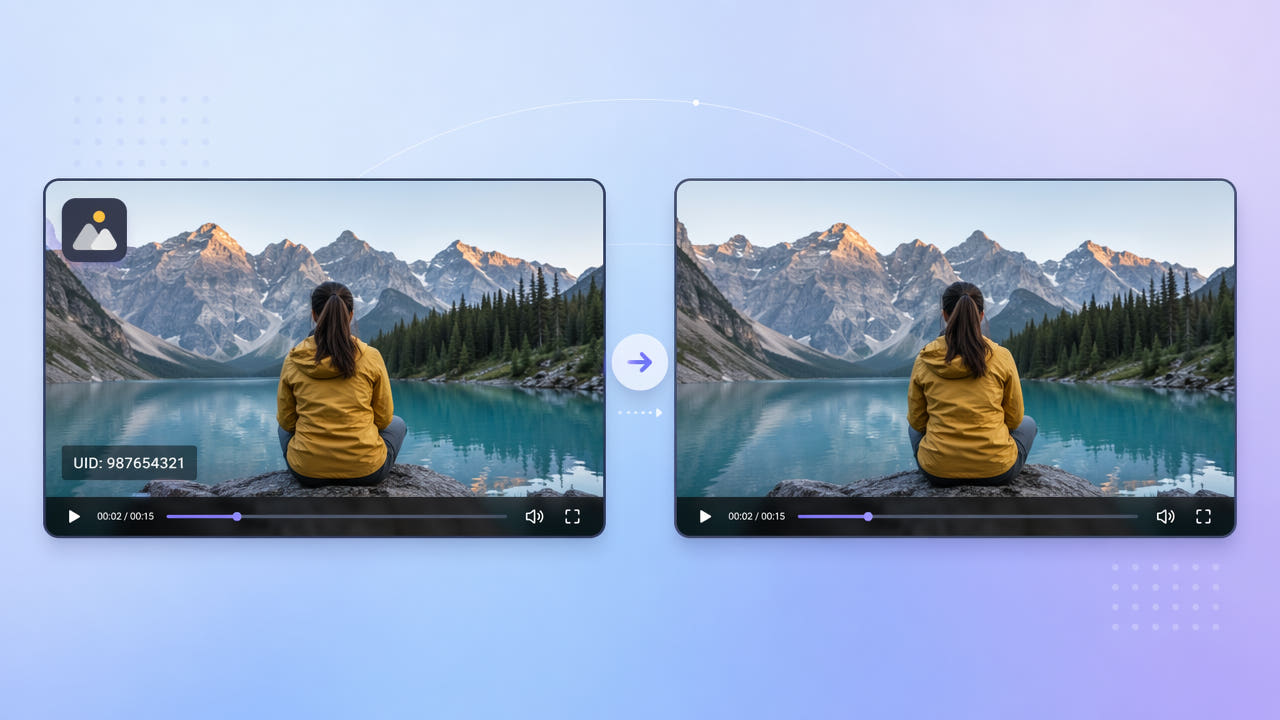
What the Bilibili Watermark Looks Like
Videos downloaded from Bilibili usually carry two marks: the platform logo in a top corner and the uploader's UID number, a numeric identifier added to discourage unattributed reposting. Together they sit in the corners of the frame on every visible second of the clip.
Logo Plus UID
For creators who want to reuse a clip on another platform, that branding is distracting and ties the footage to a specific Bilibili account. Removing it produces a neutral clip suitable for editing, compilation, or cross-posting.
Why It Matters for Reuse
Because the logo and UID are static corner overlays, they are easier to target than a drifting watermark, but the UID's small digits over moving backgrounds still benefit from genuine reconstruction rather than a blur patch.
Bilibili stamps a corner logo and a numeric UID on downloads; both are static overlays that AI can rebuild away cleanly.
Removing Bilibili Branding with AI
550W Video Eraser lets you place a selection box over each mark — one for the logo and one for the UID — and then reconstructs the background behind them. The deep-learning model fills the area using surrounding frames, so the corners look untouched.
Mark Each Corner
Select the clip, mark the logo and UID regions, and export the clean result. Standard mode is quick for simple backgrounds; Protect mode is better when the UID overlaps detailed or moving footage and you want maximum fidelity.
Standard or Protect Mode
Because the marks are static, you can use tight selection boxes that preserve the rest of the frame. There is no need to crop, so your composition and aspect ratio remain intact at up to 1080p.
Place a box on each static mark and let AI rebuild the corners, preserving the full frame without cropping.
Cleaning Clips for Compilation and Reuse
If you are assembling a compilation or reaction edit, removing per-source watermarks first gives a consistent look across clips from different platforms. The same approach applies to generic logo removal — see our guide on removing logos and watermarks from video for a broader walkthrough.
Always confirm you have the right to reuse the footage. Removing a watermark does not transfer ownership; it simply gives you a clean frame for content you are permitted to use.
Tips for a Flawless Bilibili Cleanup
The UID is a row of small digits. When you mark it, make sure the box covers every digit plus a little padding, since a missed digit leaves a visible fragment. Zoom in to confirm the selection before processing.
Capture the Full Digits
Use the original download rather than a re-encoded or screen-recorded copy. Extra compression around the small UID text reduces how cleanly the AI can rebuild it. Cleaner input always yields a cleaner corner.
Avoid Re-Compressed Copies
Cover every UID digit with a little padding and start from the original download for the sharpest corner reconstruction.
Frequently Asked Questions
Can I remove the Bilibili UID number from a video?
Yes. Mark the UID region in 550W Video Eraser and the AI reconstructs the background behind the digits so the corner looks clean.
Do I have to crop to remove the Bilibili logo?
No. AI inpainting erases the logo in place and rebuilds the area, so you keep the full frame and original aspect ratio.
Can I remove the logo and UID at the same time?
Yes. Place a separate selection box on each mark and process them together in a single pass.
Will the rest of the video lose quality?
No. Only the marked corners are rebuilt; the remaining frame stays at the source resolution up to 1080p.
What formats can I upload?
550W Video Eraser supports MP4 and MOV files up to 1080p and 30 minutes, covering typical Bilibili downloads.