Video Subtitle Remover App — Best Options for Creators
Why Creators Need a Dedicated Subtitle Remover App
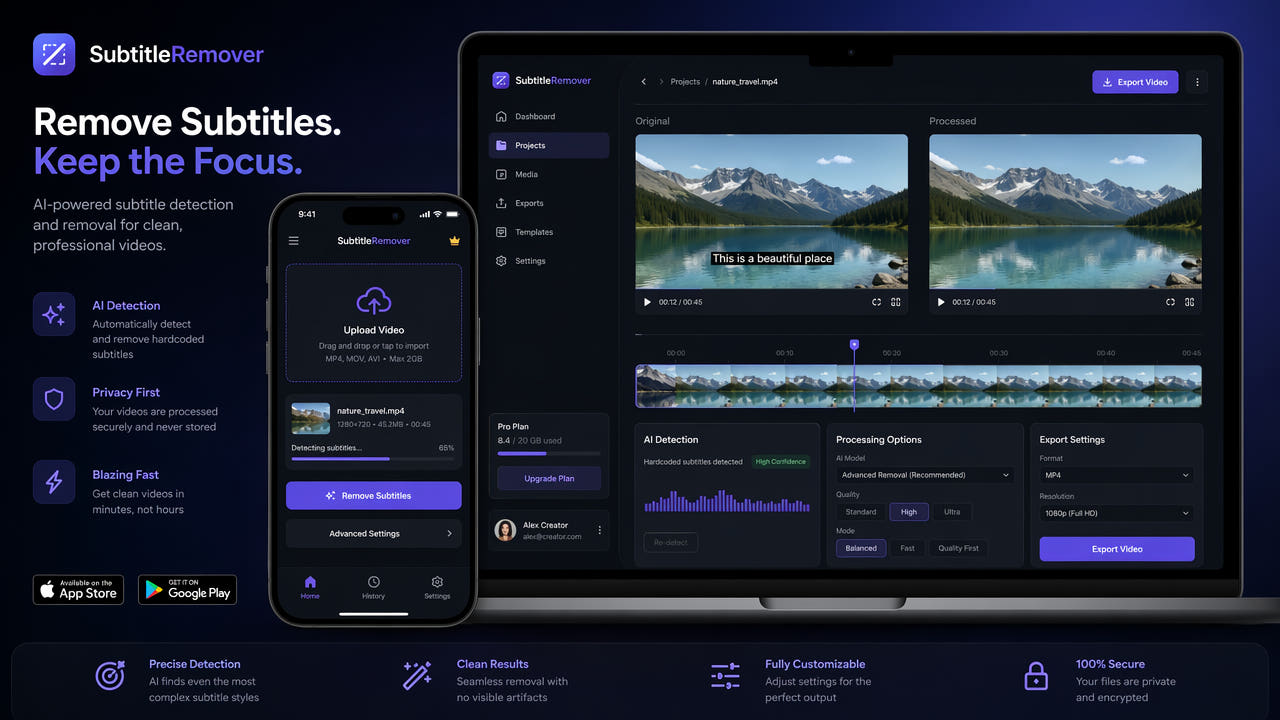
Content creators working across multiple platforms encounter burned-in subtitles constantly. Downloaded TikTok videos come with auto-generated captions baked in. Instagram Reels have permanent caption overlays. Collaborative footage from international partners arrives with foreign language subtitles that need replacement. A dedicated subtitle remover app streamlines these common workflows, saving creators hours of manual editing time every week.
General-purpose video editors can technically handle subtitle removal through masking and cloning, but the process is painfully slow and produces inconsistent results. A specialized subtitle remover app uses AI trained specifically for text detection and video inpainting, delivering faster processing and cleaner output than manual approaches in general editors. For creators who remove subtitles regularly, the efficiency difference between a specialized tool and a general editor is transformative.
Dedicated subtitle remover apps use specialized AI to deliver faster, cleaner results than manual removal in general video editors.
The ideal subtitle remover app for creators balances several priorities: output quality that meets professional standards, processing speed that fits into fast-paced content workflows, ease of use that does not require technical expertise, and pricing that makes sense for the volume of content being processed. Different apps excel in different areas, making the choice dependent on your specific workflow needs and content volume.
Top Subtitle Remover Apps Compared
We tested the leading subtitle remover apps across quality, speed, ease of use, platform support, and pricing to help creators choose the right tool for their workflow.
550W Video Eraser — Best Overall for Creators
The 550W Video Eraser stands out as the most complete subtitle removal solution for content creators. Available as a web application for quick single-video processing, a desktop application for batch workflows and offline use, and accessible via mobile browsers for on-the-go editing. The AI inpainting technology is specifically trained for video text removal, producing consistently clean results across different subtitle styles, sizes, and background complexities.
Key strengths include automatic subtitle detection that works with any language or font style, batch processing for handling multiple videos simultaneously, and high-quality output that maintains original video resolution and bitrate. The web version requires no installation and works on any device with a browser, while the desktop version offers faster processing through local GPU acceleration and handles larger files without upload limitations.
Video Eraser Pro — Best Mobile-Native Option
Video Eraser Pro is a dedicated mobile app available on iOS and Android that handles subtitle removal directly on your phone. Its touch-based interface makes selecting subtitle regions intuitive on mobile devices. Processing happens on-device for shorter clips and in the cloud for longer videos. The app integrates with your phone's camera roll and sharing system, making it convenient for quick mobile workflows. However, output quality does not match desktop AI tools for complex backgrounds.
Remove.bg Video — Best for Simple Overlays
Originally known for background removal, Remove.bg has expanded into video text removal. It handles simple subtitle overlays well but struggles with complex scenarios like styled text, semi-transparent overlays, or subtitles over detailed moving backgrounds. Best suited for creators with straightforward removal needs who already use the Remove.bg ecosystem for other tasks. Pricing is credit-based which can become expensive for high-volume users.
Kapwing — Best for Browser-Based Editing
Kapwing offers subtitle removal as part of its broader online video editing platform. The removal feature uses AI detection and inpainting, though results are slightly below specialized tools. Its strength lies in the integrated editing environment where you can remove subtitles and immediately perform additional edits like trimming, resizing, and adding new text without switching between tools. Free tier has watermark and length limitations.
HitPaw Video Object Remover — Best for Desktop Power Users
HitPaw provides a desktop application with advanced object removal capabilities including subtitle removal. It offers frame-by-frame preview, manual region adjustment, and multiple AI model options for different removal scenarios. The interface is more complex than simpler tools but provides greater control for users who need precise results. One-time purchase pricing makes it economical for heavy users compared to subscription models.
Choose your subtitle remover based on your primary workflow: web for convenience, desktop for power, mobile for quick edits on the go.
Key Features to Look For
When evaluating subtitle remover apps, these features separate professional-grade tools from basic options that may not meet creator needs.
AI Inpainting vs. Simple Blurring
The most important differentiator between subtitle remover apps is the removal technology used. AI inpainting analyzes the video context and reconstructs what should appear behind the subtitle text, producing seamless results. Simple blurring or color-filling just obscures the text area with a smudged or solid-color patch, which is immediately visible and unprofessional. Always verify that an app uses actual inpainting rather than basic blurring before committing to it for professional work.
Automatic Text Detection
Quality apps automatically detect subtitle regions without requiring manual selection for every frame. The AI identifies text areas based on visual characteristics like contrast, font patterns, and typical subtitle positioning. Automatic detection saves significant time compared to manually drawing selection boxes, especially for videos with subtitles that change position or have varying sizes throughout the content.
Batch Processing Support
Creators who process multiple videos regularly need batch processing capability. This feature lets you queue multiple videos for subtitle removal and process them sequentially or in parallel without manual intervention for each file. Batch processing is essential for agencies, content teams, and prolific creators who handle dozens of videos weekly. For more on batch workflows, see our guide on batch removing subtitles from multiple videos.
Format and Resolution Support
Professional subtitle remover apps support all common video formats (MP4, AVI, MKV, MOV, WebM) and resolutions up to 4K. They should maintain the original video quality without unnecessary recompression and offer flexible export options for different platform requirements. Avoid apps that force specific output formats or downgrade resolution during processing, as this limits the usability of your cleaned footage.
Processing Speed
Processing speed varies dramatically between apps and depends on whether processing happens locally or in the cloud. Cloud-based processing is convenient but depends on internet speed and server load. Local processing using GPU acceleration is typically faster for large files but requires capable hardware. For time-sensitive workflows, test processing speed with your typical video length and resolution before committing to a tool.
Choosing the Right App for Your Workflow
Different creator workflows benefit from different app choices. Match your tool selection to your specific content production patterns.
Social Media Creators (High Volume, Quick Turnaround)
If you produce short-form content daily and need quick subtitle removal for repurposing, prioritize speed and convenience. A web-based tool like 550W Video Eraser that requires no installation and processes videos quickly is ideal. The ability to process directly from your browser on any device means you can handle subtitle removal from anywhere without being tied to a specific computer. Batch processing handles multiple clips efficiently when preparing content for the week ahead.
Professional Editors (Quality-Critical, Complex Projects)
Professional editors working on client projects need the highest possible output quality and precise control over the removal process. Desktop applications with frame-by-frame preview, manual region adjustment, and multiple AI model options provide the control needed for demanding projects. The 550W desktop application combines professional-grade quality with efficient batch processing for editors handling multiple client projects simultaneously.
Mobile-First Creators (On-the-Go Editing)
Creators who primarily work from their phones need mobile-friendly solutions. Web-based tools accessible through mobile browsers offer the best balance of quality and convenience for mobile workflows. Dedicated mobile apps provide faster access but may sacrifice some quality compared to desktop or cloud-based processing. For quick social media repurposing where speed matters more than pixel-perfect quality, mobile solutions are perfectly adequate.
Teams and Agencies (Collaboration, Consistency)
Content teams need tools that support multiple users, maintain consistent output quality across team members, and integrate into existing production pipelines. Cloud-based solutions with team accounts, shared processing queues, and API access for automation provide the infrastructure teams need. Consistent AI processing ensures every team member produces the same quality output regardless of individual skill level or experience with the tool.
Pricing Models Explained
Subtitle remover apps use various pricing structures. Understanding these models helps you choose the most economical option for your usage patterns.
Free Tiers and Trials
Most subtitle remover apps offer some form of free access, whether a limited free tier, a time-limited trial, or a freemium model with restrictions. Free tiers typically limit video length, resolution, or add their own watermark to output. They are useful for testing quality before committing to a paid plan but rarely sufficient for regular professional use. Evaluate free tiers to assess quality, then upgrade when you confirm the tool meets your needs.
Subscription Models
Monthly or annual subscriptions provide unlimited or high-volume access for a recurring fee. This model works best for creators who process videos regularly and predictably. Annual plans typically offer significant discounts over monthly billing. Calculate your expected monthly usage and compare the per-video cost against pay-per-use alternatives to determine which model is more economical for your specific volume.
Pay-Per-Use Credits
Credit-based pricing charges per video or per minute of video processed. This model suits creators with irregular or unpredictable processing needs who do not want to pay for unused subscription capacity during slow periods. However, per-video costs are typically higher than subscription rates for regular users. Credits may expire, so avoid purchasing large credit packs unless you are confident you will use them within the validity period.
One-Time Purchase
Some desktop applications offer one-time purchase pricing with perpetual licenses. This is the most economical option for heavy users over the long term, as there are no recurring costs after the initial purchase. However, one-time purchase apps may not receive the same frequency of AI model updates as subscription services, potentially falling behind in quality over time as newer AI models become available.
Tips for Getting the Best Results
Regardless of which subtitle remover app you choose, these tips help you achieve the cleanest possible output from any tool.
Start with High-Quality Source Files
The quality of your input directly affects the quality of subtitle removal results. Use the highest resolution and least compressed version of your video available. Avoid processing videos that have already been compressed multiple times through platform uploads and downloads. If possible, work with original files rather than screen recordings or re-downloaded versions that have accumulated compression artifacts around subtitle text.
Verify Automatic Detection Accuracy
While automatic subtitle detection is convenient, always verify that the detected regions accurately cover all subtitle text including any shadows, outlines, or background boxes. Missed edges result in faint text remnants in the output. Most apps allow you to adjust the detected region before processing, so take a moment to confirm accuracy rather than trusting automatic detection blindly, especially for unusually styled or positioned subtitles.
Process Full Videos Rather Than Clips
When possible, process the full video in one pass rather than splitting it into clips and processing each separately. Full-video processing allows the AI to maintain temporal consistency across the entire timeline, producing smoother results at scene transitions and during continuous shots. Processing clips separately can introduce subtle inconsistencies at the join points where separately processed segments meet.
Review Before Publishing
Always review processed output before publishing or delivering to clients. Scrub through the video at normal speed and also frame-by-frame in areas where subtitles appeared over complex backgrounds. Catching any artifacts or incomplete removal before publication maintains your professional reputation and avoids the need for re-processing and re-uploading after the fact.
Future of Subtitle Removal Technology
The subtitle removal space continues to evolve rapidly with advances in AI and video processing technology. Here is what creators can expect in the near future.
Real-Time Processing
Current subtitle removal requires uploading and waiting for processing. Emerging technology enables real-time subtitle removal during playback or live streaming. This will allow creators to preview removal results instantly and make adjustments before committing to full processing. Real-time capability also opens possibilities for live content repurposing where subtitles are removed on-the-fly during broadcast.
Improved AI Models
AI inpainting models continue to improve in quality and speed with each generation. Future models will handle increasingly complex scenarios like subtitles over faces, rapid motion, and extremely detailed backgrounds with even fewer artifacts. Training on larger and more diverse datasets improves handling of unusual subtitle styles, rare fonts, and challenging visual contexts that current models occasionally struggle with.
Integration with Editing Workflows
Subtitle removal is increasingly being integrated directly into video editing applications as a native feature rather than requiring separate specialized tools. This integration streamlines workflows by eliminating the need to export, process externally, and re-import. Expect major editing platforms to incorporate AI subtitle removal as a standard feature within the next one to two years, though specialized tools will likely maintain a quality advantage for this specific task.
Frequently Asked Questions
What is the best subtitle remover app for content creators?
550W Video Eraser is the top choice, offering AI-powered subtitle removal on web, desktop, and mobile with batch processing and high-quality inpainting.
Can I remove subtitles from video on my phone?
Yes. Web-based tools like 550W Video Eraser work on mobile browsers, and dedicated mobile apps are available for both iOS and Android.
Are free subtitle remover apps any good?
Free apps often use blurring instead of AI inpainting, producing lower quality. Premium tools deliver cleaner removal but many offer free tiers.
How do subtitle remover apps handle different video formats?
Quality apps support all common formats including MP4, AVI, MKV, and MOV, processing regardless of codec and exporting in your preferred format.