Review AI Logo Edits in Product Photos
Updated · Product workflow reviewed by 550W AI Labs
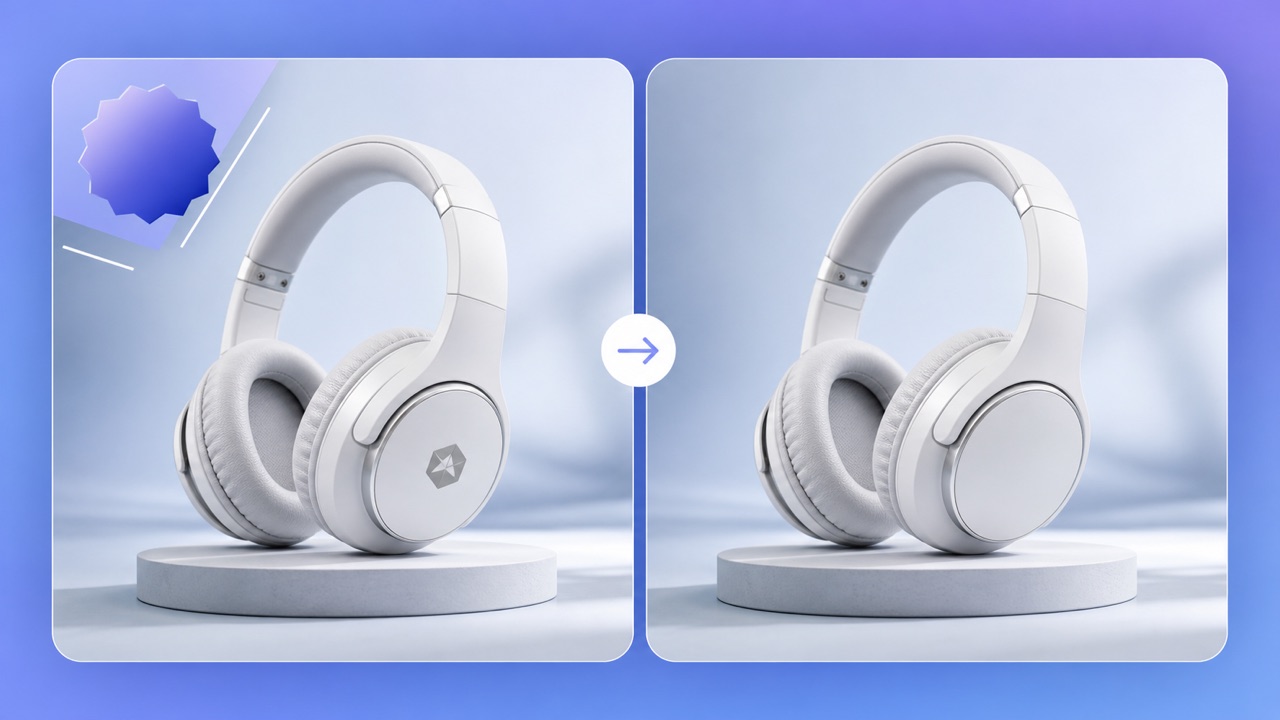
Legitimate Reasons to Clean Product Images
Brands often need to update their own product photos after a packaging refresh, reseller change, or campaign expiration. An outdated corner badge can make an otherwise current listing look inconsistent.
Rebranding Owned Assets
AI removal is useful for overlays added during post-production, such as sale labels, channel logos, and temporary promotional text. It is not a substitute for photographing genuinely different packaging, nor permission to remove another brand's ownership mark.
Marketplace Variants
Keep the original file and document your rights to the asset before creating marketplace variants.
Use logo removal to update overlays on product photography you control, not to misrepresent a product or erase third-party ownership.
Estimate a Logo Replacement and Review the Crop
Cropping a corner badge may change a marketplace aspect ratio or cut into the product. AI estimates replacement pixels from nearby visual context; it may alter the background or product edges, so compare the full-size output with the original.
Why Inpainting Helps
Upload one product photo to Image Eraser for a before-and-after result, or choose multiple files for the task list. Processing runs in the cloud. For signed-in use, each successful image costs 10 credits; submission or processing failure does not deduct credits.
Online Workflow
Inspect the result at full size: straight product edges, shadows, repeated patterns, printed labels and any text that should remain. AI may alter details that resemble overlays, so a completed task is not approval to publish.
Review the framing, product edges, and details after an AI estimate; keep the original and publish only authorized, inspected assets.
Create Better Listing Variants
Start with a clean master image, then add channel-specific badges and localized copy in your design system. This avoids stacking new labels on top of old ones and keeps spacing consistent.
Remove First, Redesign Second
Do not remove regulatory labels, safety warnings, or permanent marks that are part of the physical product when their absence would mislead buyers. AI editing should improve presentation, not alter material facts.
Keep Claims Accurate
For a catalog, first test a representative authorized image, then process groups of up to 20. Review every result and download approved assets before the 24-hour availability window closes. Keep the originals alongside the cleaned versions.
Build channel variants from a clean master while preserving every label or feature buyers need for an accurate decision.
Frequently asked questions
Can AI remove a seller badge from a white background?
A plain studio background may provide useful surrounding context, but the estimated pixels can differ from the original. Inspect product edges and shadows at full size before publishing.
Will the product itself change?
The processor targets watermark-like text and logos, but you should inspect fine edges and details before publishing.
Can I process an entire catalog?
You can submit images in groups of up to 20 and track each result independently.
What should I not remove?
Do not remove permanent product information, safety labels, or third-party ownership marks without appropriate rights.