Review a Visible Mark in an Authorized Saved Snap
Updated · Product workflow reviewed by 550W AI Labs
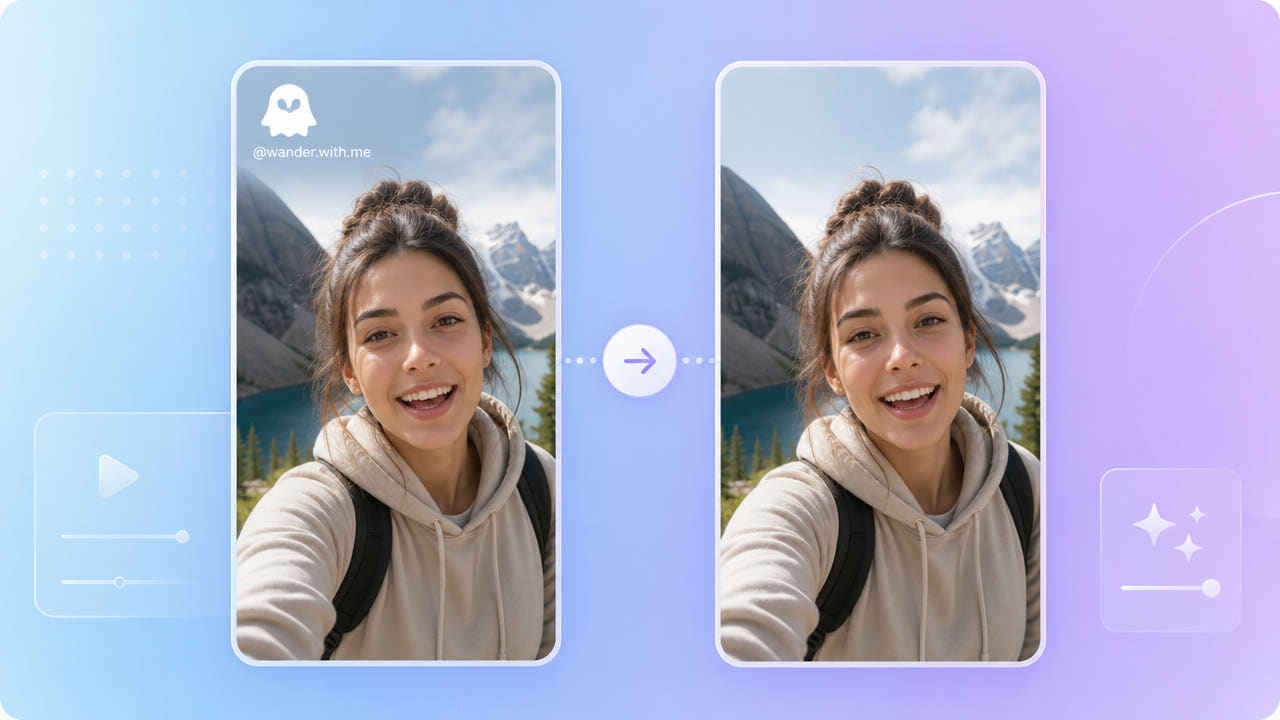
Check the Saved Video and Permission
A saved or reshared video may contain a visible logo, username, sticker, or other overlay. Their appearance depends on the particular file and current app behavior; inspect your own export instead of assuming a fixed Snapchat mark.
Permission to Edit and Reuse
Before editing or reposting, confirm you own the video or have permission from its creator and anyone whose image or account details appear. Removing a mark does not grant reposting rights.
Privacy and Visible Overlays
A username may contain personal information, while a logo may cover part of a face or moving background. Decide whether to leave, cover, or reconstruct each visible region based on your purpose and rights.
Inspect the actual saved file and obtain permission before changing or sharing a visible mark.
Select and Review the Visible Overlay
On an authorized video, select the visible overlay using the current interface. 550W estimates replacement content from nearby picture information; it cannot restore the original hidden pixels.
Choose a Processing Mode
Use Standard to process inside the selected area. Protect keeps that area and processes outside it; it is not a higher-quality mode. Faces, hands, and moving backgrounds need particularly careful review.
Review Selections and Export
Use selections supported by the current interface for separate marks or changing positions. Inspect the full export, including vertical framing, audio, and detail; reconstruction and encoding may change the file.
Select each visible mark, use Standard for the region to process, and review the full export.
Check Before Reposting
A cleaned video is not automatically ready for another platform. Confirm the creator’s permission, current platform rules, other people’s privacy, and any required attribution before sharing it.
Check the current privacy policy for file retention and deletion details. Do not assume processing deletes a file immediately after a task finishes; keep a copy of your original and review the output before distribution.
Frequently asked questions
Can I edit a visible mark in a saved Snap?
If you own the file or have permission to edit it, you can test reconstruction on a visible mark and inspect the exported result for artifacts.
Can a username be processed as well?
You can test a selection around visible username text when you have permission to edit it. Check each position and review the complete output; one pass may not be enough.
Will the rest of the image stay sharp?
No guarantee applies. Reconstruction can change details in the selection, and export encoding can affect the full video. Review faces and motion closely.
Is the uploaded file deleted immediately?
Check the current privacy policy and product notices for retention and deletion terms. Do not assume immediate deletion from task completion alone.
Will the vertical frame stay unchanged?
A selection can avoid deliberate cropping, but output dimensions and quality should be checked. The browser workflow supports video up to 1080p and 30 minutes.