Remove Text from Product Videos: Review Every Edited Shot
Updated · Product workflow reviewed by 550W AI Labs
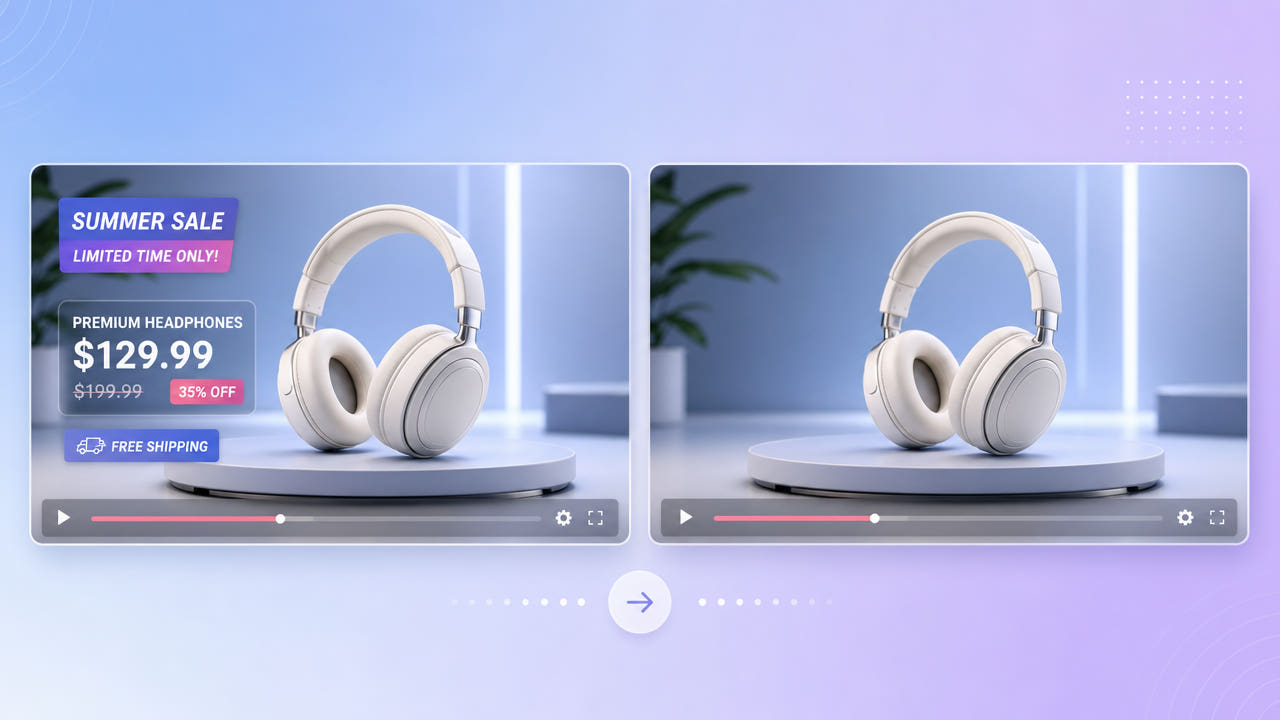
Why E-commerce Footage Needs Cleaning
Product videos can contain prices, promotion banners, and feature labels baked into the picture. When that information changes, check whether the original project or an unmarked master is available before editing the exported clip.
Stale Prices and Promos
Supplier clips may also contain another seller’s branding. Confirm that your agreement permits editing and reuse; removing a logo does not transfer rights to the footage.
Reusing Supplier Clips
Text over a moving or reflective product is hard to replace. AI estimates imagery from the visible surroundings rather than recovering the hidden product surface, so inspect edited frames for incorrect details.
Confirm rights and look for a clean master before reconstructing outdated text in a product video.
Cleaning Product Videos with 550W Video Eraser
Upload an eligible product video and mark the complete text area, including shadows or a badge background. Standard mode processes inside the selection; Protect preserves the inside and processes outside it.
Mark Price and Promo Text
Reflective packaging, fine print, textures, and rotating products need close review. AI estimates replacement pixels from nearby imagery, and the result may not match the original hidden surface.
Review Detail After Removal
Before processing, check the current interface for accepted file types, task limits, and available controls. If it offers multi-file submission, review every export separately; the same selection may not suit each clip.
Use Standard on the text area and inspect product details in each complete export.
Building a Reusable Product Video Library
Keep an authorized clean master when possible. Add channel-specific prices and offers as editable overlays in your video editor so future changes do not require reconstruction.
Clean Masters for Every Channel
For each market, check product claims, currency, and translations against the current listing. Export and review a separate version for every channel rather than assuming that an edited master is ready to publish.
Localize Without Re-Shooting
Tips for Professional Product Results
Use the clearest authorized source available within the current video limit of 1080p and 30 minutes. Check file-size conditions in the actual upload interface. Compression and motion can make reconstruction harder.
Use High-Resolution Source
Extend the selection over text shadows, glows, and banners without covering more product detail than necessary. Review motion, visual artifacts, audio, and encoding in the downloaded file before publishing.
Cover Shadows and Glows
Select the full text effect, then review the exported product shot before using it in a listing.
Frequently asked questions
Can I remove an old price from a product video?
You can mark an outdated price in footage you may edit. Standard estimates replacement imagery in the selected area; inspect the result and update the listing price separately.
Can I clean supplier branding from a dropshipping video?
Only if your supplier or rights holder permits editing and rebranding. Ask for an unmarked source when possible, and review any reconstructed product detail.
Can I clean many product videos at once?
Check the current interface for multi-file submission and task limits. Review each output separately; matching selection coordinates do not guarantee the same result across clips.
Will the product look natural after removal?
A natural result is not guaranteed, especially over reflections and fine product features. Inspect the full export and use the original project or a new shoot if accuracy matters.
What formats and limits apply?
Eligible MP4 and MOV videos may be up to 1080p and 30 minutes. Check the current upload interface for file-size and other conditions.