Repurpose TikTok Videos for YouTube Shorts
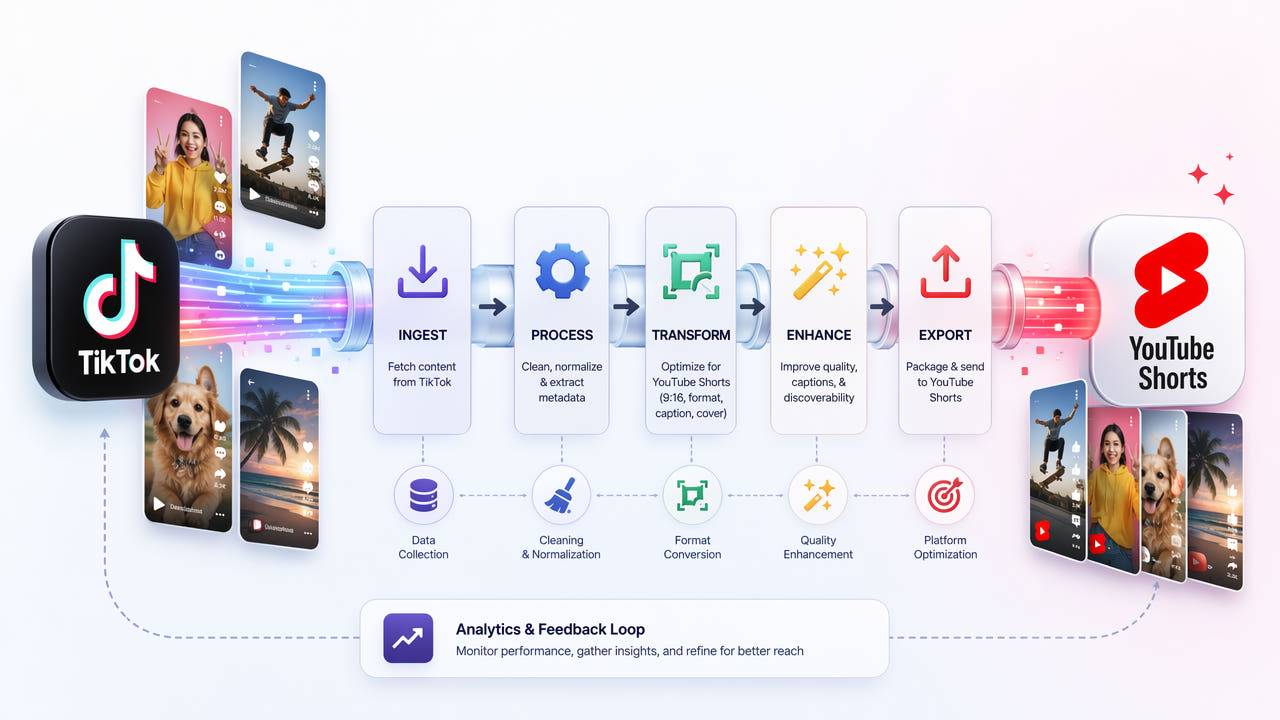
Start with footage you can use
Use your original video where possible. If you use a saved TikTok copy, check that you have permission to publish the footage and audio on YouTube. A music licence on one platform may not cover another.
A clean original usually gives a better starting point than removing overlays from a compressed download. Remove captions only when you need to replace them; useful, accurate captions improve accessibility.
Remove unwanted overlays
Open 550W Video Eraser, upload the video and mark the watermark or burned-in caption area. Check every place the overlay appears, including changes in position throughout the clip.
Process the video and inspect the full result before downloading. AI reconstructs the selected area; it cannot recover the exact hidden pixels. Motion, detailed backgrounds and large selections can leave visible artifacts.
Check the Shorts upload
YouTube Shorts supports eligible square or vertical videos up to three minutes. For a full-screen vertical layout, use 9:16. Check the current upload requirements and the final classification in YouTube Studio.
Review framing, audio, captions and image quality. Write an accurate title and description. Removing branding or delaying a cross-post does not guarantee recommendations, originality or monetization eligibility.
Frequently asked questions
Does removing a watermark improve recommendations?
There is no intended ranking boost. Shorts recommendations and reused-content monetization reviews are separate; removing a logo does not make someone else’s footage original.
Can I keep the TikTok music?
Only if you have the necessary rights for YouTube. Check the licence or replace the audio with material you are permitted to use there.
Will the result be completely seamless?
Results depend on the footage and selection. Review the whole clip; try a smaller selection or return to the clean original if the reconstruction is distracting.